
Small businesses usually choose dedicated hosting when a cloud server stops being predictable: traffic spikes hurt performance, compliance needs tighten, or downtime becomes expensive.
Modern small business dedicated servers now require NVMe storage and DDR5 RAM as standard to handle the demands of 2026 applications, including local AI processing and high-volume e-commerce.
The right dedicated provider gives you:
- Dedicated resources
- Clear management options (DIY or managed help)
- Reliable backups and monitoring
- Functional security controls
The best dedicated hosting for small businesses in 2026 balances raw performance with proactive management. For businesses requiring high-security or healthcare compliance, Atlantic.Net is the top pick due to its SOC 2/3 and HIPAA-compliant infrastructure. For those focused on budget, IONOS offers competitive entry-level pricing with rapid deployment.
2026 Dedicated Hosting Comparison
| Provider | Best for | Management options | OS options | Backup/monitoring | Notes to know |
| Atlantic.Net | Compliance-ready hosting + tailored builds | Managed or unmanaged | Multiple OS options available | Backup + security add-ons available | Emphasis on PCI/HIPAA/HITECH readiness and add-on security services |
| HostGator | Businesses that want a common control-panel workflow | Full or semi-managed | Linux or Windows | DDoS + firewall | Hosted in a US-based Tier 3 data center (per provider page) |
| Namecheap | Teams that want management tiers + a clear upgrade path | User-responsible, basic, or complete management | Linux templates; Windows can be user-installed via IPMI | Weekly backups are offered with complete management | Uptime guarantee details are in published terms |
| Hostwinds | Included monitoring + nightly backups on dedicated | Managed options available; customization emphasized | Varies by configuration | “Server Monitoring” + “Nightly Backups” | Good fit for businesses that want backup/monitoring baked in |
| IONOS | Dedicated servers with “unlimited traffic” positioning | Not clearly stated on the dedicated page | Linux or Windows | Varies by plan | Best for single-server workloads that need predictable transfer allowances |
Why Small Businesses Need Dedicated Hosting
Small businesses hit a point where shared hosting and even cloud server plans stop being consistent. Dedicated hosting helps when you need:
- Stable performance: Your site and apps don’t share CPU/RAM with other customers.
- More control: You can tune the server for your stack (database, caching, runtime, security rules).
- Stronger isolation: Dedicated hardware reduces “noisy neighbor” risk and can simplify security reviews.
- A cleaner growth path: You can scale vertically (bigger box) or add dedicated nodes for specific roles.
Dedicated isn’t always the first step. If your workload is still moderate, a Cloud Server can be the simpler upgrade because scaling is usually faster. (See FAQ for a quick dedicated vs Cloud Server breakdown.)
Why Dedicated Hosting Matters for Small Businesses in 2026
In 2026, the gap between shared resources and dedicated hardware has widened. Small businesses are increasingly moving away from “burstable” cloud instances in favor of dedicated servers to ensure consistent performance for resource-heavy tasks like data analytics, private AI model hosting, and secure database management.
The Shift to NVMe and DDR5
Legacy SATA SSDs and HDDs are no longer the standard for business-critical applications. In 2026, NVMe storage provides read/write speeds exceeding 3,500 MB/s, which is essential for modern databases. Similarly, DDR5 memory has become the requirement for multitasking and high-traffic stability, offering nearly double the bandwidth of DDR4.
Managed vs. Unmanaged
For most small businesses, Managed Dedicated Hosting is the correct choice. The provider handles security patches, OS updates, and hardware monitoring.
- Managed Hosting: Expect to pay $50–$120 more per month for the peace of mind that a sysadmin is monitoring your server 24/7.
- Unmanaged (Bare Metal): Best for businesses with in-house technical teams. You receive the hardware and a clean OS, but you are responsible for everything from firewalls to backups.
Top Dedicated Hosting Providers for Small Business
#1 – Atlantic.Net

Best for compliance-ready dedicated hosting and tailored builds
Atlantic.Net focuses on dedicated hosting with options to run managed or unmanaged servers and add security/backup services as needed. It’s a strong fit when you want a dedicated environment that can be shaped around compliance-driven requirements (or simply stronger operational controls) without building everything from scratch.
Below is Atlantic.Net’s cloud control panel interface used to deploy and manage dedicated and GPU servers.
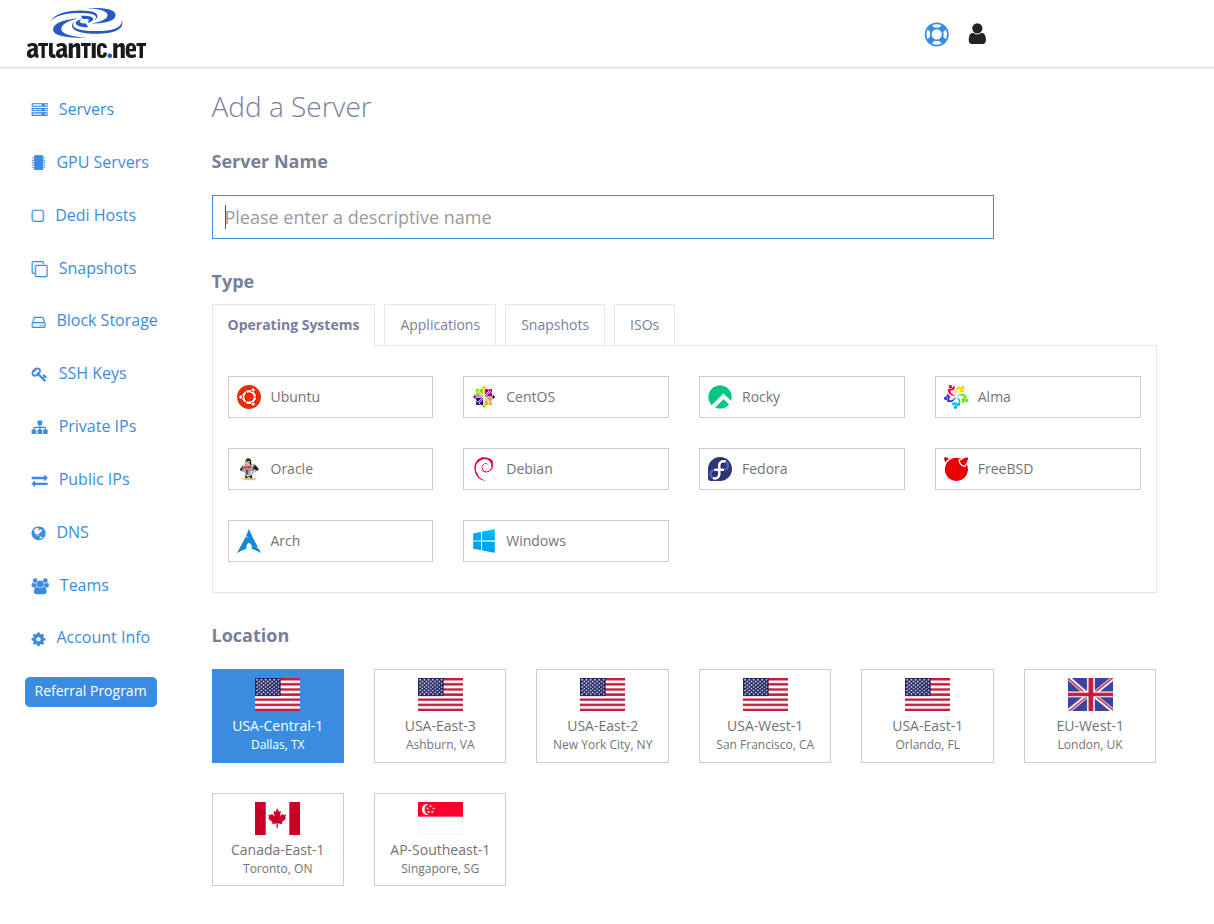
Image Source: Atlantic.Net
- Key Specs: Dedicated server options with managed or unmanaged deployments, multiple OS choices, and add-on security/backup services depending on needs.
- Compliance: Positioning includes PCI/HIPAA-compliant/HITECH readiness for our data center infrastructure. Provides a formal HIPAA Business Associate Agreement (BAA) for all healthcare clients. Once the BAA is signed, we work as your compliance partner.
- Support: 24x7x365 USA-based support via phone and email
- Verdict: Choose Atlantic.Net if you want a dedicated server that can be configured around security/compliance requirements, and you want optional managed help available.
What stands out:
- Managed or unmanaged server options
- Security and backup add-ons available (firewalls, IDS, backups, DDoS, WAF options)
Who should choose Atlantic.Net?: Small businesses handling sensitive data, regulated workloads, or complex environments that benefit from a compliance-ready posture and add-on security services.
#2 – HostGator

Best for familiar control-panel workflows with managed vs semi-managed options
HostGator’s dedicated offering provides full server resources with a choice between managed and semi-managed support. It includes DDoS protection and an IP-based firewall, which fits small teams that want baseline protection.
Here is the HostGator cPanel dashboard, where you can manage websites, databases, email accounts, and hosting settings from a centralized interface.
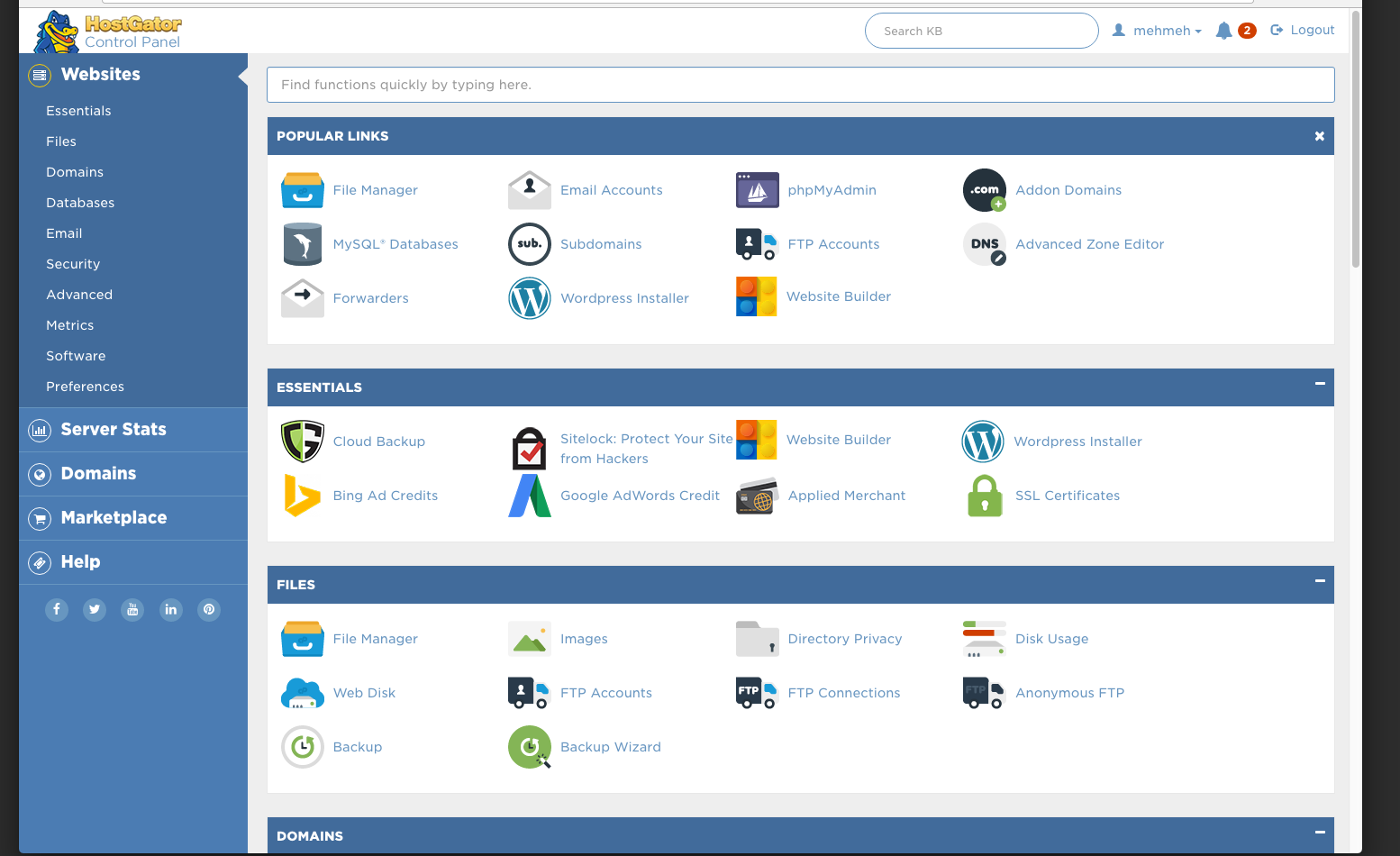
Image Source: HostGator
- Key Specs: Dedicated servers with a choice of managed vs semi-managed support and common hosting workflows for small teams that want dedicated resources.
- Compliance: No specific certifications are stated; treat compliance as workload-specific.
- Support: 24/7/365 chat + phone support and server monitoring.
- Verdict: Choose HostGator if you want dedicated hosting with a clear “managed vs semi-managed” choice and you prefer a mainstream hosting workflow.
What stands out:
- Full or semi-managed options
- DDoS protection + IP-based firewall
- A US-based Tier 3 data center
Who should choose HostGator?: Agencies and small businesses that want dedicated resources but don’t want to fully own server operations.
#3 – Namecheap

Best for tiered management options and published uptime terms
Namecheap offers dedicated servers with multiple management tiers. Its materials explain how scaling works—typically moving to a higher-tier plan—and it publishes formal uptime guarantee terms.
Let’s see the Namecheap dedicated hosting interface used to manage domains, deploy servers, and control hosting services from one place.
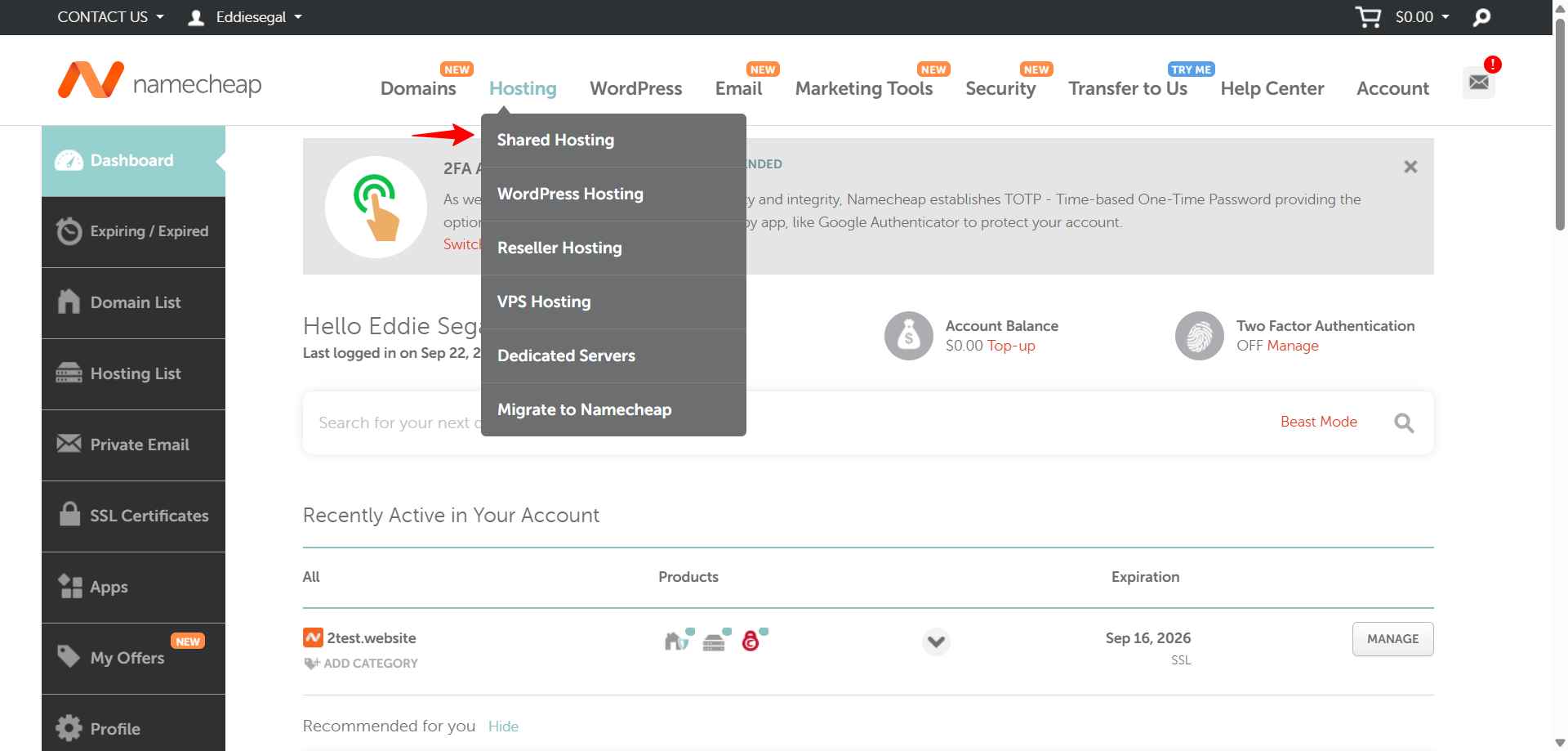
Image Source: NameCheap
- Key Specs: Dedicated servers with tiered management levels, optional control panel add-ons, and remote management access for hands-on teams.
- Compliance: Namecheap’s hosting legal terms say services are not intended to provide a PCI-compliant environment without further compliance activity—plan on owning compliance requirements and validation
- Support: 24/7 customer support; management tiers (User-Responsible/Basic/Complete).
- Verdict: Choose Namecheap if you want a provider that clearly describes management tiers and publishes formal uptime guarantee language.
What stands out:
- Management tiers (from self-managed to more fully managed support)
- Control panel options are explicitly listed on the dedicated server pricing page
- Uptime guarantee language is published in legal terms.
Who should choose Namecheap? Small businesses that want clear “support levels” without committing to full management from day one.
#4 – Hostwinds

Best for built-in monitoring and nightly backups on dedicated
Hostwinds includes monitoring and nightly backups directly on its dedicated server page. This is useful for lean teams that need operational basics handled consistently without adding extra services manually.
Explore the Hostwinds cloud hosting panel designed for managing server resources, configuring security settings, and monitoring performance in real time.
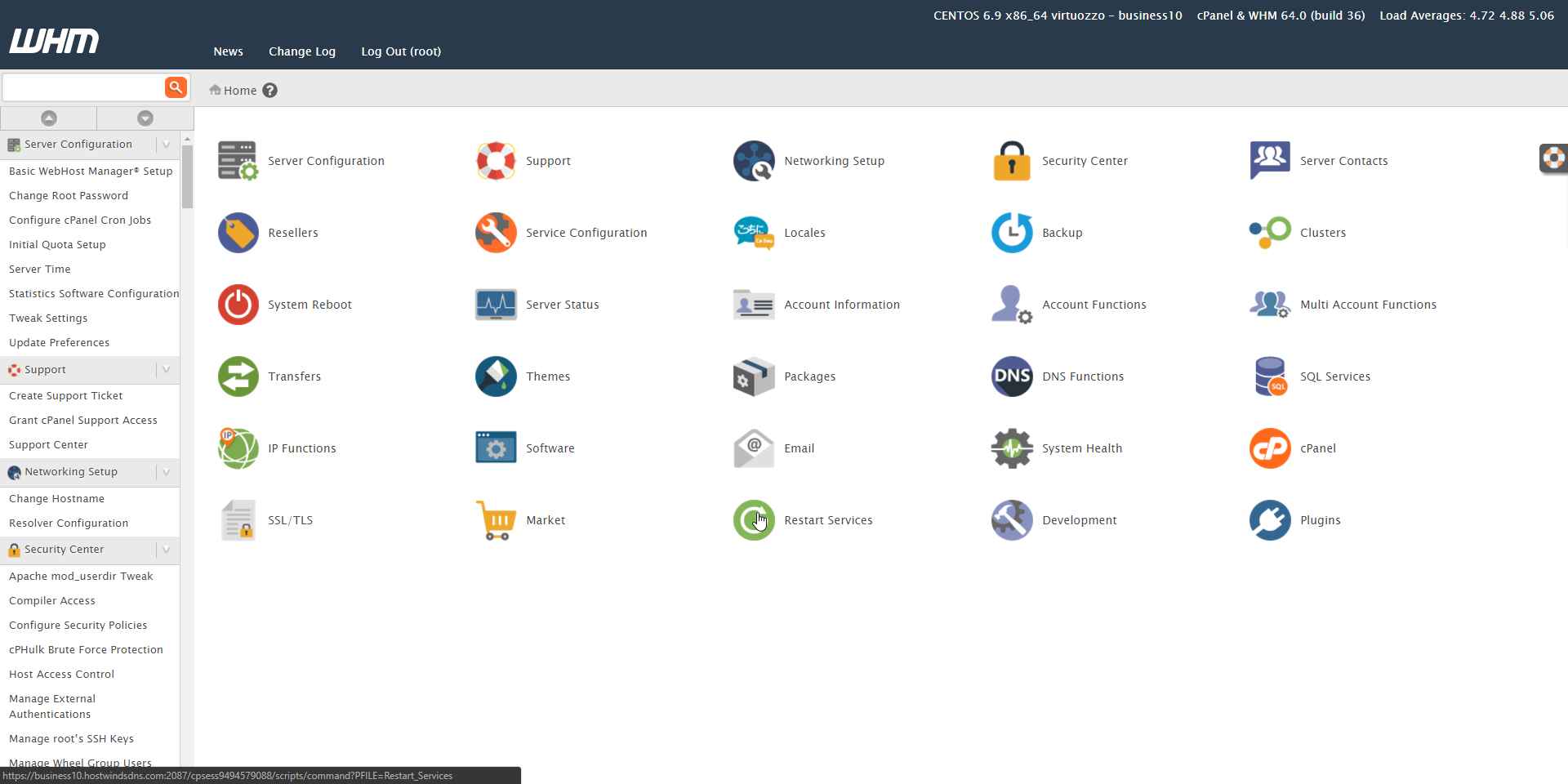
Image Source: Hostwinds
- Key Specs: Dedicated servers positioned around customizable configurations, with monitoring and backup features prominently included/available on dedicated offerings.
- Compliance: No dedicated-specific compliance certifications are stated.; confirm any compliance needs (e.g., audits/attestations) directly.
- Support: 24/7/365 availability.
- Verdict: Choose Hostwinds if you want dedicated hosting where monitoring and nightly backups are clearly part of the core value proposition.
What stands out:
- “Server Monitoring”
- “Nightly Backups”
- Customization options (RAM/CPU/disks/RAID)
Who should choose Hostwinds?: Businesses that want dedicated hosting with backup + monitoring front-and-center, especially if you don’t have a dedicated ops person.
#5 – IONOS

Best for dedicated servers positioned around “unlimited traffic.”
IONOS positions its dedicated servers with “unlimited traffic,” which is useful for small businesses that need predictable transfer allowances without calculating monthly bandwidth costs.
Look at the IONOS Cloud control panel showing server image management, infrastructure configuration, and US data center deployment options.
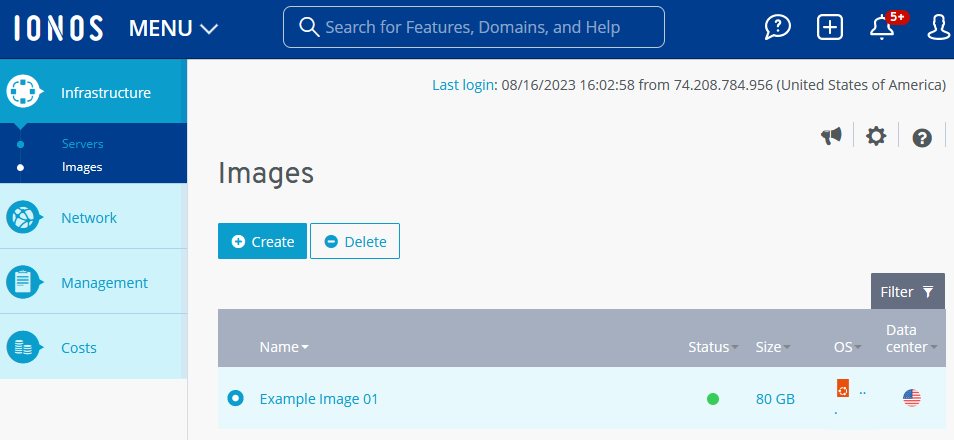
Image Source: IONOS
- Key Specs: Multiple hardware categories (AMD/Intel/Storage/GPU) with Linux/Windows options.
- Compliance: FAQ mentions ISO-certified data centers and basic security measures like firewall rules.
- Support: 24/7 expert support via phone/chat/email.
- Verdict: Choose IONOS if your priority is predictable transfer allowances and you’re selecting a dedicated option for a straightforward single-server workload.
What stands out:
- “Unlimited traffic” positioning
- Dedicated servers are offered with Linux or Windows
- Multiple dedicated server categories are listed (AMD/Intel/storage/GPU)
Who should choose IONOS?: Small businesses that want a dedicated option with predictable traffic positioning and simple plan selection.
Making Your Decision
Use this short process to avoid overbuying:
- Confirm the need: If your issue is occasional load spikes, a cloud server upgrade may be enough.
- Pick a management model: If you cannot patch, secure, and troubleshoot the OS, prioritize managed help.
- List non-negotiables: Backups, monitoring, OS, control panel preference, and compliance needs.
- Test support: Ask a pre-sales question about your specific stack or security needs.
The Atlantic.Net Difference
When you purchase bare metal servers from Atlantic.Net, you are investing in more than just hardware. You are partnering with a web hosting company that has a proven, decades-long history of delivering high-level performance, robust security, and expert support.
With a wide range of configurations, each of which can be tailored to your specific needs and requirements, it is hugely beneficial. We maintain a sharp focus on compliance, so you can build your infrastructure with confidence.
For businesses that need top performance from their hosting, Atlantic.Net presents a very strong option.
To explore the full range of our Dedicated Hosting Solution, email us at [email protected] or visit https://www.atlantic.net/dedicated-server-hosting/
FAQ
Do I really need a dedicated server for a small business website?
Not always. Many small businesses start with shared hosting, then move to Cloud Servers when traffic and app complexity increase. Dedicated makes sense when performance must stay stable under load, when you need deeper control over security settings, or when compliance reviews are pushing you toward hardware isolation.
What’s the difference between cloud hosting and dedicated hosting?
A dedicated server is an entire physical machine reserved for one customer. A Cloud Server is a virtualized slice of a physical server; it can be cost-effective and easier to scale, but you don’t control the full physical box. Dedicated can offer more isolation and consistent performance, while Cloud Servers are usually easier to resize quickly.
What does “managed dedicated hosting” typically include?
Managed offerings commonly cover OS-level updates, monitoring, and help with troubleshooting core services. The exact boundary matters: some providers won’t support custom software stacks, and some limit what they’ll change without a request. Always confirm what’s included before you assume patching and hardening are “handled.”
What should I prioritize first: CPU, RAM, or storage?
For many small business workloads, RAM and storage performance (SSD/NVMe) are the first bottlenecks, especially with databases and CMS platforms. CPU becomes the limiting factor when you run heavy compute tasks, lots of concurrent requests, or background jobs. Start by measuring what’s currently maxing out.
How important are backups if the host offers monitoring?
Monitoring tells you something broke; backups help you recover when it does. Ideally, you want both: monitoring for early warning and backups for rollback and disaster recovery. Also, confirm how restores work (self-serve vs support ticket) and how long backups are retained.
Can I host multiple websites on one dedicated server?
Yes. Dedicated servers are commonly used to host multiple sites, apps, and services—especially if you need consistent performance and full configuration control. The practical limit depends on your server resources and how heavy each site/app is.
How do I choose a data center location?
Choose the region closest to the majority of your customers if latency affects conversions or app responsiveness. If you serve multiple regions, consider a dedicated server near your primary audience and use a CDN for global static content. For regulated data, location may also be dictated by contractual or legal requirements.
* This post is for informational purposes only and does not constitute professional, legal, financial, or technical advice. Each situation is unique and may require guidance from a qualified professional.
Readers should conduct their own due diligence before making any decisions.