
AI video editing now covers far more than filters or automated trims. By 2026, leading platforms will support generative scene creation, prompt-based b-roll insertion, automated captions, and voice-driven edits across long- and short-form video. Professional editors, marketing teams, and media studios use these tools to reduce hands-on editing time by more than 60% while producing higher volumes of consistent content. This guide reviews the 10 best AI video editing platforms of 2026, comparing them based on speed, output quality, and the level of creative control they offer editors. Real production use cases, including avatar-led corporate video, social content, and cinematic or generative video workflows, are evaluated for each tool.
The 10 Best AI Video Editing Platforms of 2026
Top AI Video Editing Platforms for Avatar and Corporate Content
These tools are designed for fast, repeatable video creation using scripts, AI avatars, and voice narration. They are commonly used for training, sales, internal communication, and product explainers, where clarity and speed matter more than visual effects.
HeyGen
HeyGen is an AI video platform that lets teams create professional presenter videos using avatars and scripts. There’s no need for cameras, studios, or live speakers, which makes it popular for business communication and training. Teams write a script, pick an AI avatar and voice, and export their video in minutes.
HeyGen supports multiple languages and keeps presentations on-brand, making it helpful for teams sharing the same message in different regions. Since everything is script-based, updates are quick and don’t require re-recording, so marketing and HR teams can easily keep videos up to date.
Create studio-quality avatar videos with HeyGen, turn scripts into engaging, AI-generated content using realistic voices and lifelike presenters.
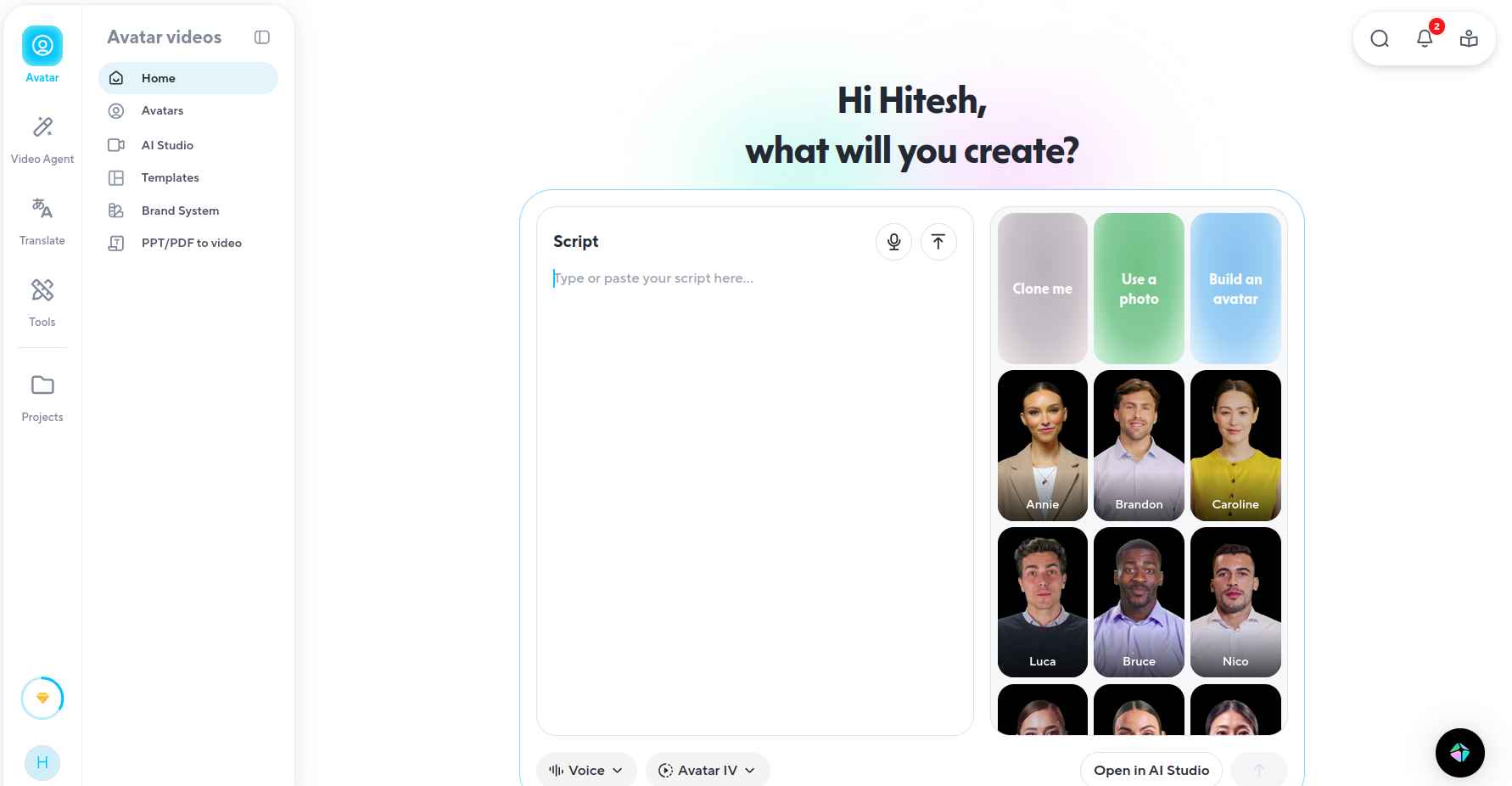
Image Source: HeyGen
Best For: Sales videos, employee training, product explainers, and multilingual corporate communication at scale.
Adobe Premiere Pro

Adobe Premiere Pro has integrated several AI features to speed up editing without significantly changing existing workflows. Features like Generative Extend add frames and extend clips, while object removal simplifies complex edits. AI also automates color correction, audio cleanup, and subtitle generation. The transcription tool makes subtitles easy, and audio ducking balances dialogue with background sound.
However, Premiere Pro remains expensive for independent creators, and beginners may find the learning curve steep. Since the AI tools require a Creative Cloud subscription, access can be limited. Still, Premiere Pro is a benchmark for professional video editing. It is especially well-suited for filmmakers, creative studios, and content teams that need precise control over every detail of their work.
Edit and produce professional videos with Adobe Premiere Pro, organize media, refine timelines, and apply advanced effects with precision and control.
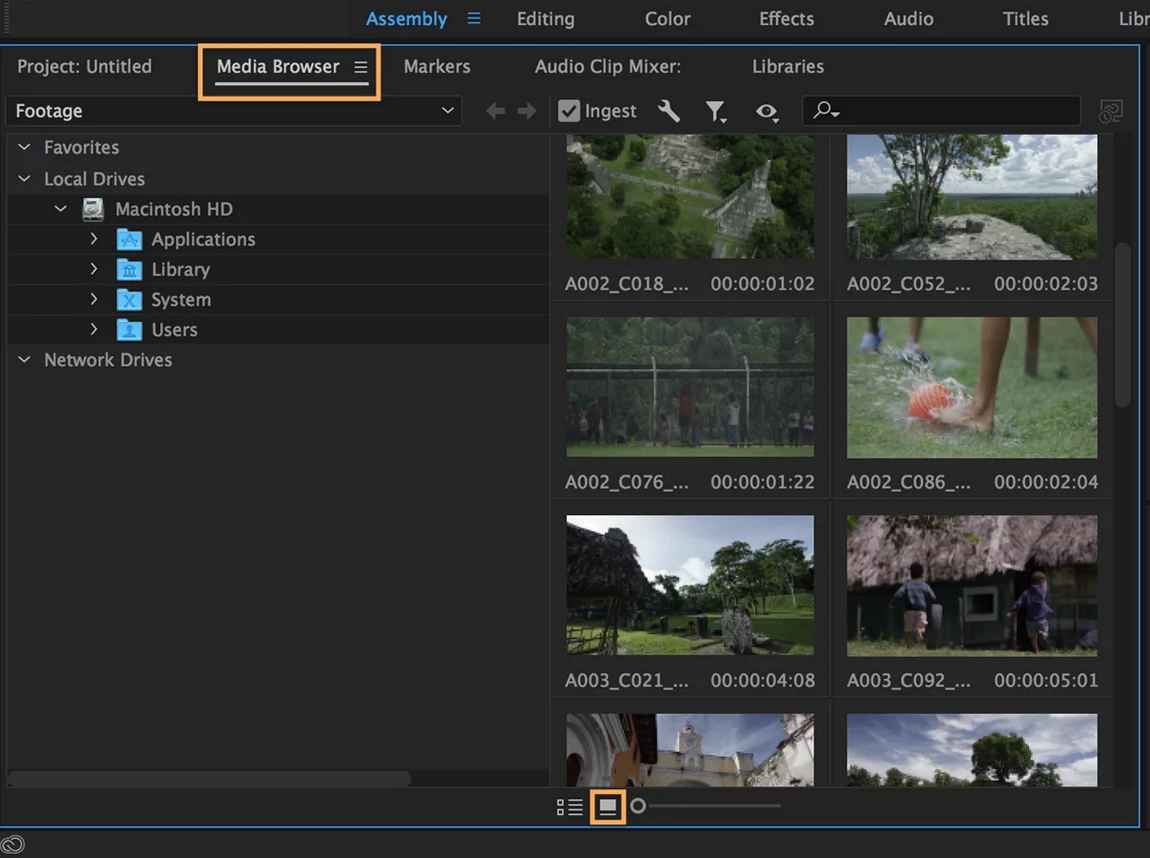
Image Source: Adobe Premiere Pro
Best For: Professional editors and creative teams working on long-form, branded, or cinematic videos that need detailed timeline control and AI support.
Descript

Descript reimagines editing by treating video like text. Users edit the transcript, and the video changes automatically. Delete a line of text, and the video clip disappears.
Key features include voice cloning, filler-word removal, and scene transitions. Collaboration tools allow teams to leave comments directly on the timeline. Its low learning curve makes it ideal for podcasts, interviews, and educational content.
However, Descript is less suited for cinematic or complex edits. While powerful, voice cloning also raises ethical concerns, so users should apply it carefully.
Edit audio and video like a doc with Descript, transcribe, cut, and enhance your content using powerful AI-driven tools.
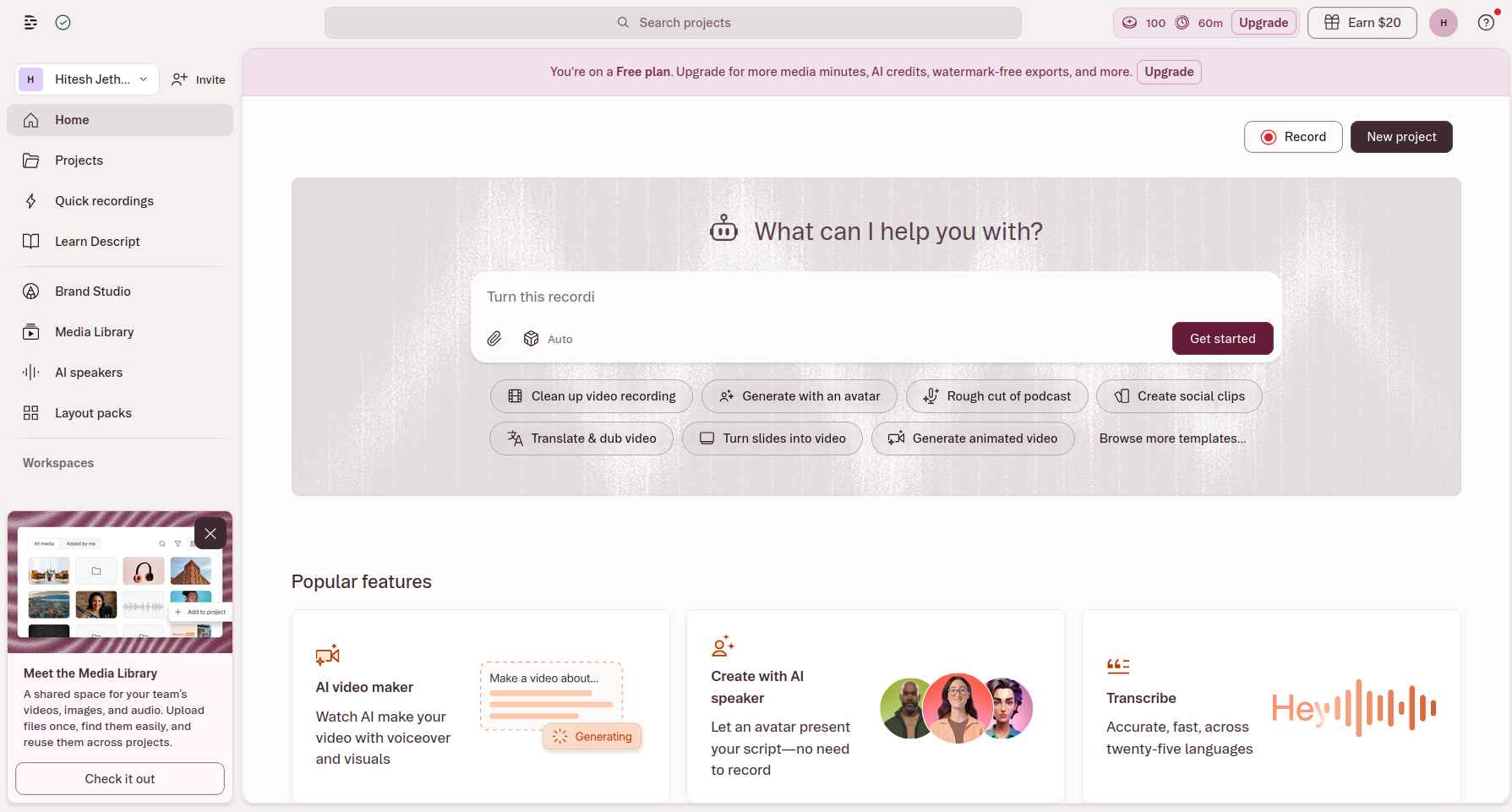
Image Source: Descript
Best For: Editing podcasts, interviews, webinars, and talking-head videos where the main focus is on spoken content.
Filmora

Filmora emphasizes simplicity while offering creative effects. Its Beat Detection feature helps sync edits with music, and its AI tools include scene detection, smart cropping, and mood-based music recommendations. Motion tracking lets text or graphics follow moving objects.
Filmora is affordable and beginner-friendly, making it a popular choice for small businesses. However, it struggles with large projects and high-resolution footage. For users who want fine control, its automation may feel restrictive.
Create polished videos with Filmora, edit timelines, add effects, and apply ready-made templates to bring your stories to life quickly.
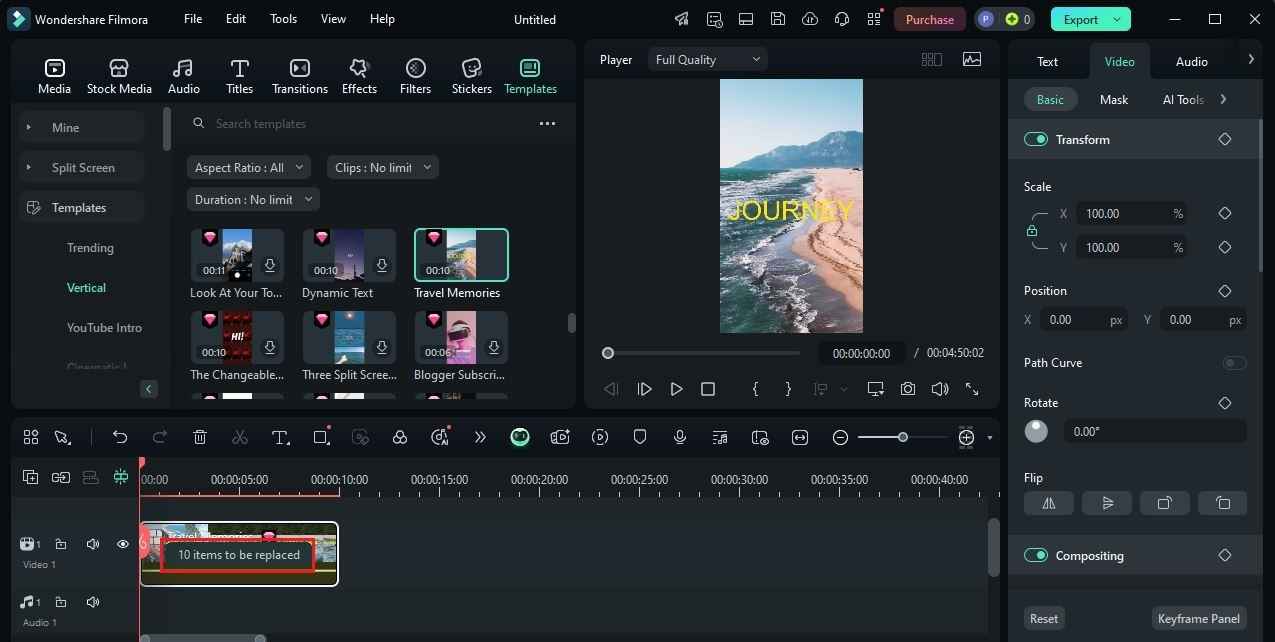
Image Source: Filmora
Best For: Beginners and small teams who want easy AI-assisted editing for short videos, tutorials, and social content, without a tough learning curve.
InVideo AI
InVideo AI is designed for quick, social-media-friendly editing. It enables users to make changes with simple commands and includes templates built for platforms like TikTok, Instagram, and YouTube. AI recommends stock footage, music, and text overlays to match themes. Voice generation and automatic resizing adjust videos to different aspect ratios, while collaboration tools help teams coordinate campaigns and track progress.
The platform works well for marketing teams producing high volumes of short videos. The drawback is heavy reliance on templates, which can lead to repetitive styles. Skilled editors may find its flexibility limited.
Create videos in minutes with InVideo AI, turn ideas into ready-to-publish content using automated scripts, visuals, and voiceovers.
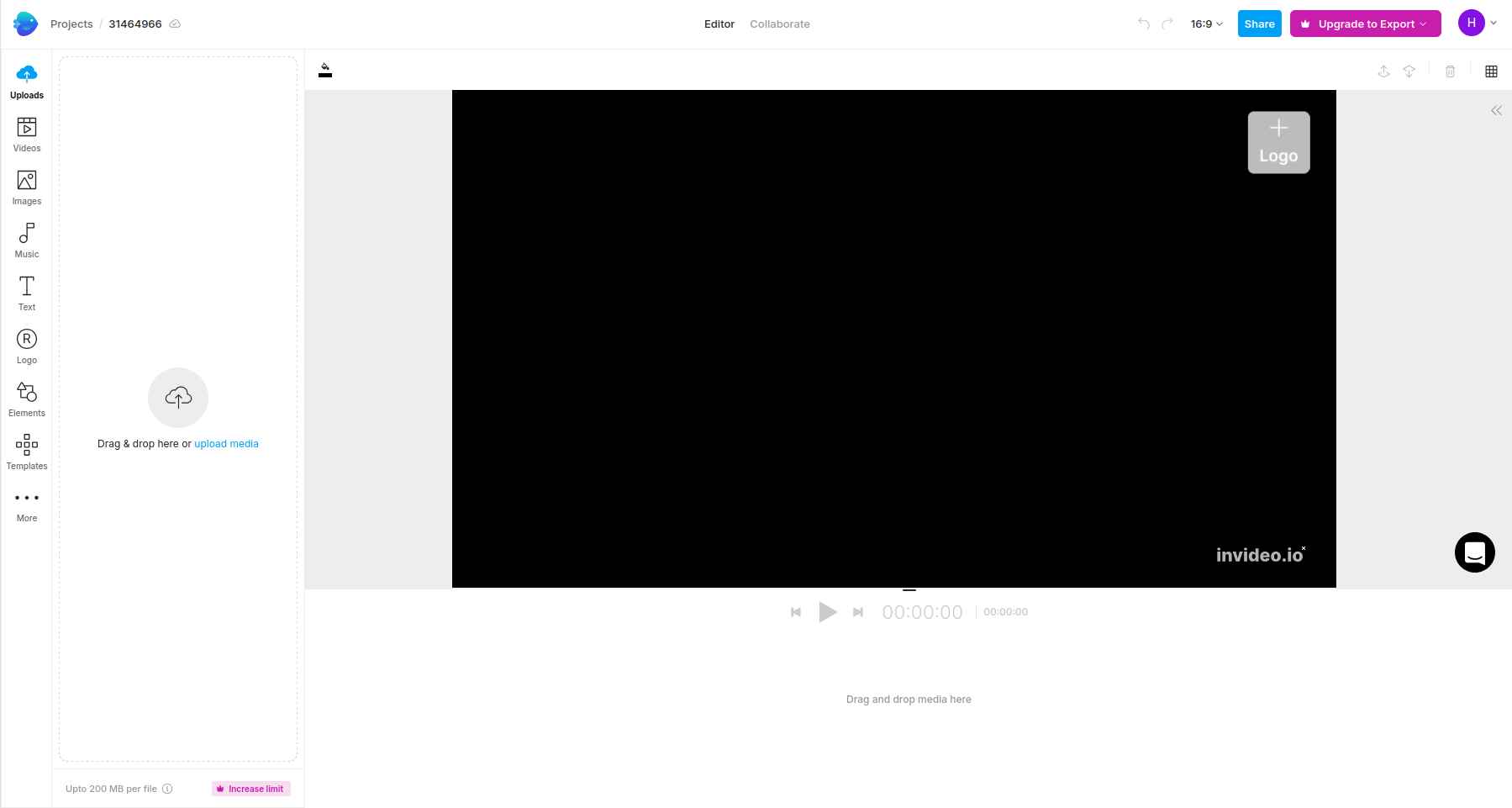
Image Source: InVideo AI
Best For: Quickly making promotional and social media videos using text commands and ready-made layouts.
Pictory
Pictory is designed to turn existing written material into videos. Users can input blog posts, articles, or scripts, and Pictory generates complete videos with relevant visuals, voiceovers, and music. AI understands the content’s context well enough to select appropriate stock footage and images. The automatic summarization feature extracts key points from longer texts and creates concise video versions. The brand customization options help maintain a consistent visual identity across multiple videos.
The downside is limited flexibility for abstract or highly creative projects. Users who need full storytelling control may find the automation restrictive.
Turn scripts, blogs, or URLs into engaging videos with Pictory, automatically generate visuals, captions, and voiceovers in minutes.
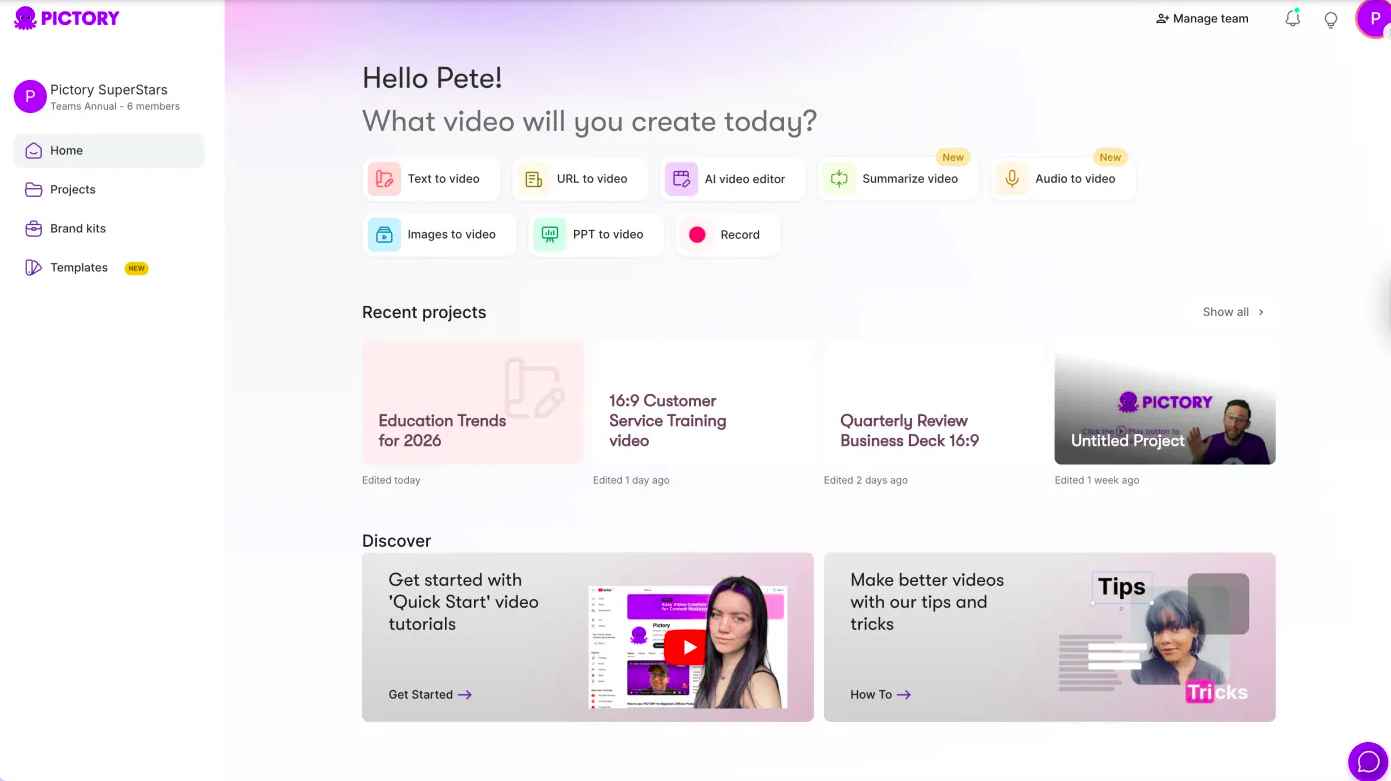
Image Source: Pictory
Best For: Quickly turning scripts, blog posts, or written marketing content into short, narrated videos with little manual editing needed.
Top AI Video Editing Platforms for Cinematic and Generative Video Creation
These platforms are built for visual storytelling, motion, and prompt-based video generation. They are used to create cinematic clips, concept scenes, and creative videos where style, pacing, and scene control matter more than presenter-led output or templates.
DaVinci Resolve Studio
DaVinci Resolve offers a range of professional tools commonly used in high-end film and television production. Its Music Remixer feature enables users to separate different parts of a song, such as vocals, bass, guitar, and drums. This gives users the flexibility to adjust or mute instruments and create a mix that fits their video perfectly.
Another key feature is the Relight tool, which uses AI to adjust lighting during post-production. It can add virtual light sources, change shadows, and even alter the overall mood of a scene without the need for reshooting. DaVinci Resolve is particularly well-suited for cinematic work, advanced color grading, and for professionals who want reliable editing features without paying ongoing subscription fees.
Edit, color grade, and finish like a pro with DaVinci Resolve Studio, combine advanced editing, VFX, and audio tools in one powerful platform.
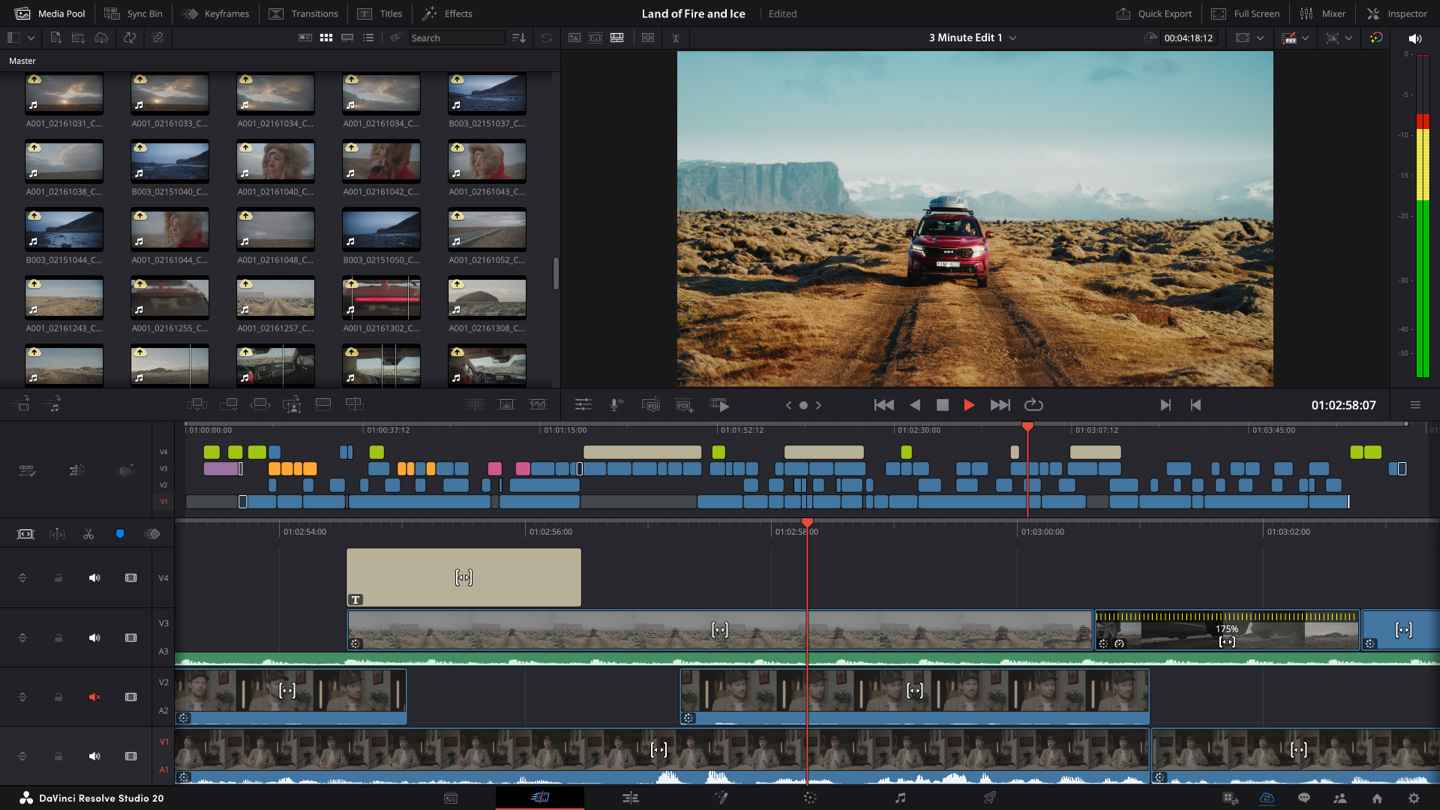
Image Source: DaVinci Resolve Studio
Best For: Professional editors and filmmakers who need advanced color grading, audio tools, and AI-assisted features within a full post-production workflow
VEED.IO

VEED.IO is an AI-powered online video editing platform designed to simplify content creation for individuals and teams. It integrates AI tools such as text-to-video generation, automatic subtitle creation, background noise removal, eye contact correction, and one-click translations to streamline production workflows. Since VEED is a browser-based editor, it eliminates the need for downloads, making it easy to edit and export videos quickly.
However, VEED may not offer the same level of frame-by-frame control or advanced compositing tools found in high-end desktop software. Complex cinematic workflows or highly technical post-production projects may require more specialized platforms. Still, VEED stands out for marketers, educators, startups, and content teams that need to quickly generate videos from text, collaboratively and without a steep learning curve.
Produce professional videos with VEED.IO, combining editing, screen recording, and AI tools in one easy-to-use platform.
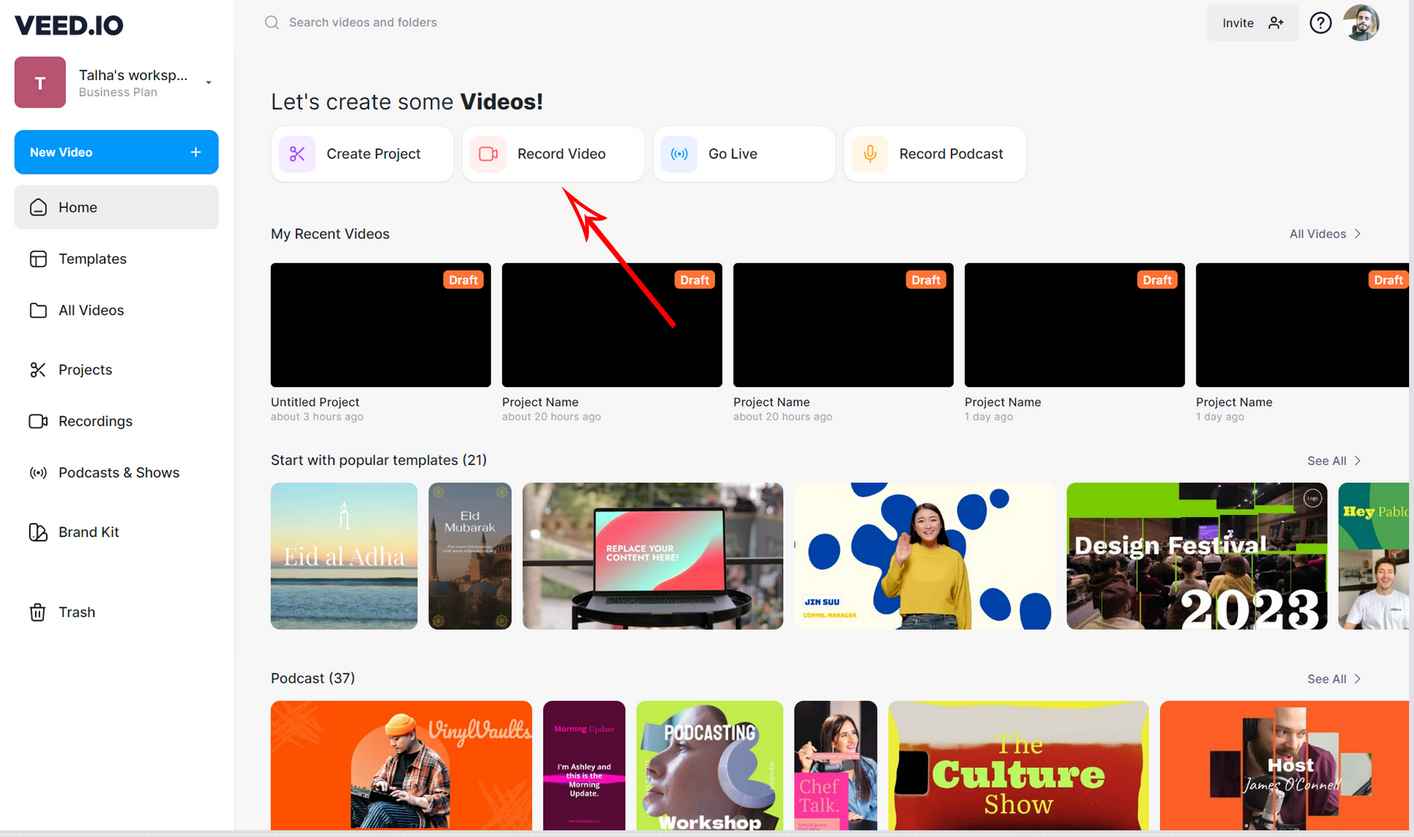
Image Source: VEED.AI
Best for: Improving accessibility with built-in transcription and subtitling tools, and for quick talking-head videos with AI Avatar and AI text-to-video.
Luma Dream Machine
Luma Dream Machine is a video tool that creates realistic motion and maintains scene consistency. It makes short video clips from text or image prompts, with smooth camera moves and natural-looking scenes.
People often use this platform for visual concepts, product shots, and cinematic sequences where realistic motion and camera work are important. It’s a good choice for creators who want natural movement without hand animation.
Let’s explore Luma Dream Machine, turn your ideas into stunning AI-generated videos and visuals with simple prompts and cinematic results.
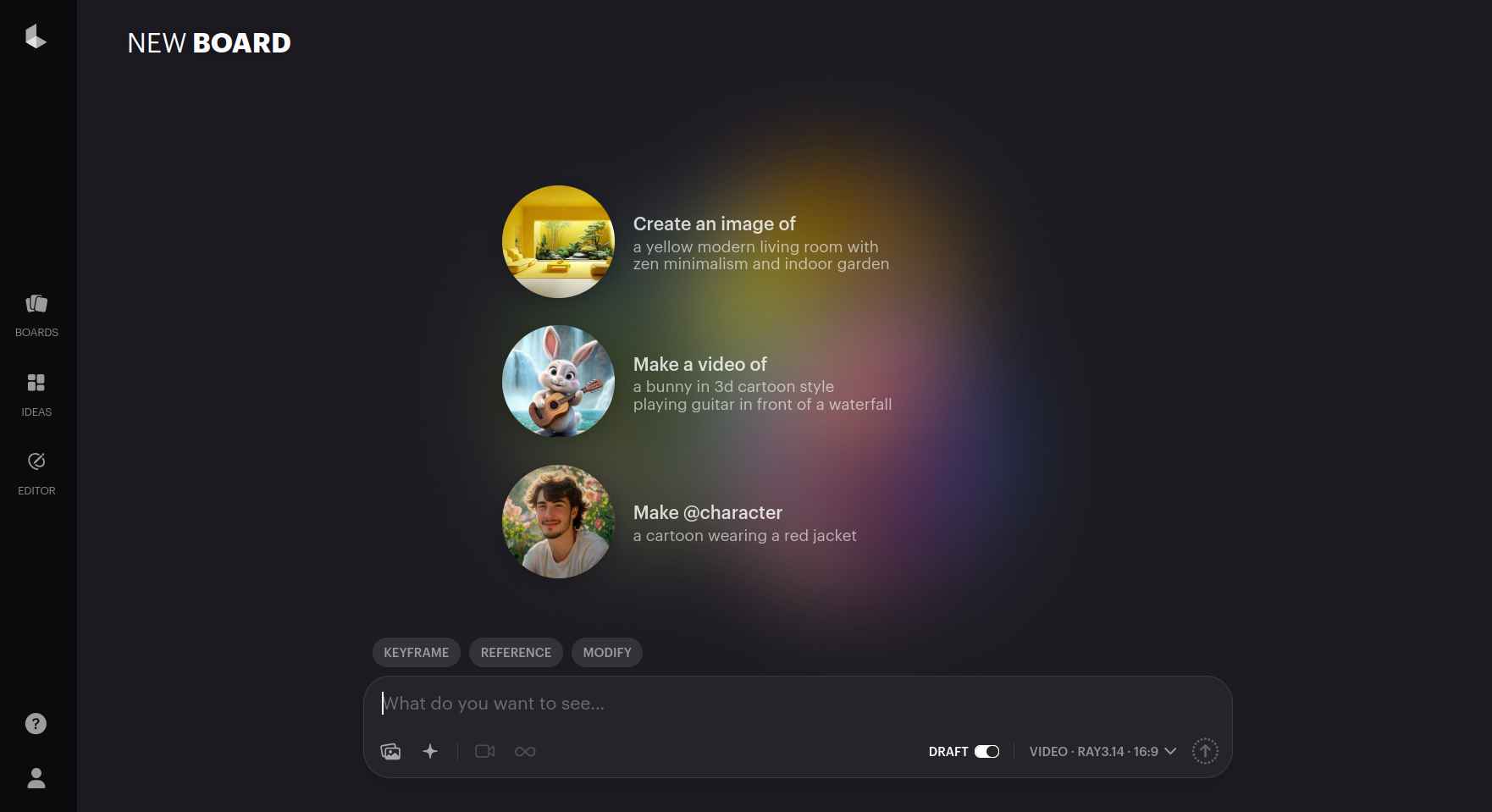
Image Source: Luma Dream Machine
Best For: Making realistic, cinematic video clips with smooth camera movement and consistent scenes.
Sora (OpenAI)

Sora is a text-to-video tool that generates longer, more complex video scenes from written prompts. It keeps scenes consistent, characters behaving naturally, and the visuals realistic throughout longer clips.
This tool is used for story-driven ideas, pre-visualization, and experimental video projects. It’s best for creative exploration, not for traditional editing tasks.
Let’s explore Sora, generate cinematic videos from simple prompts and bring your imagination to life with stunning realism.
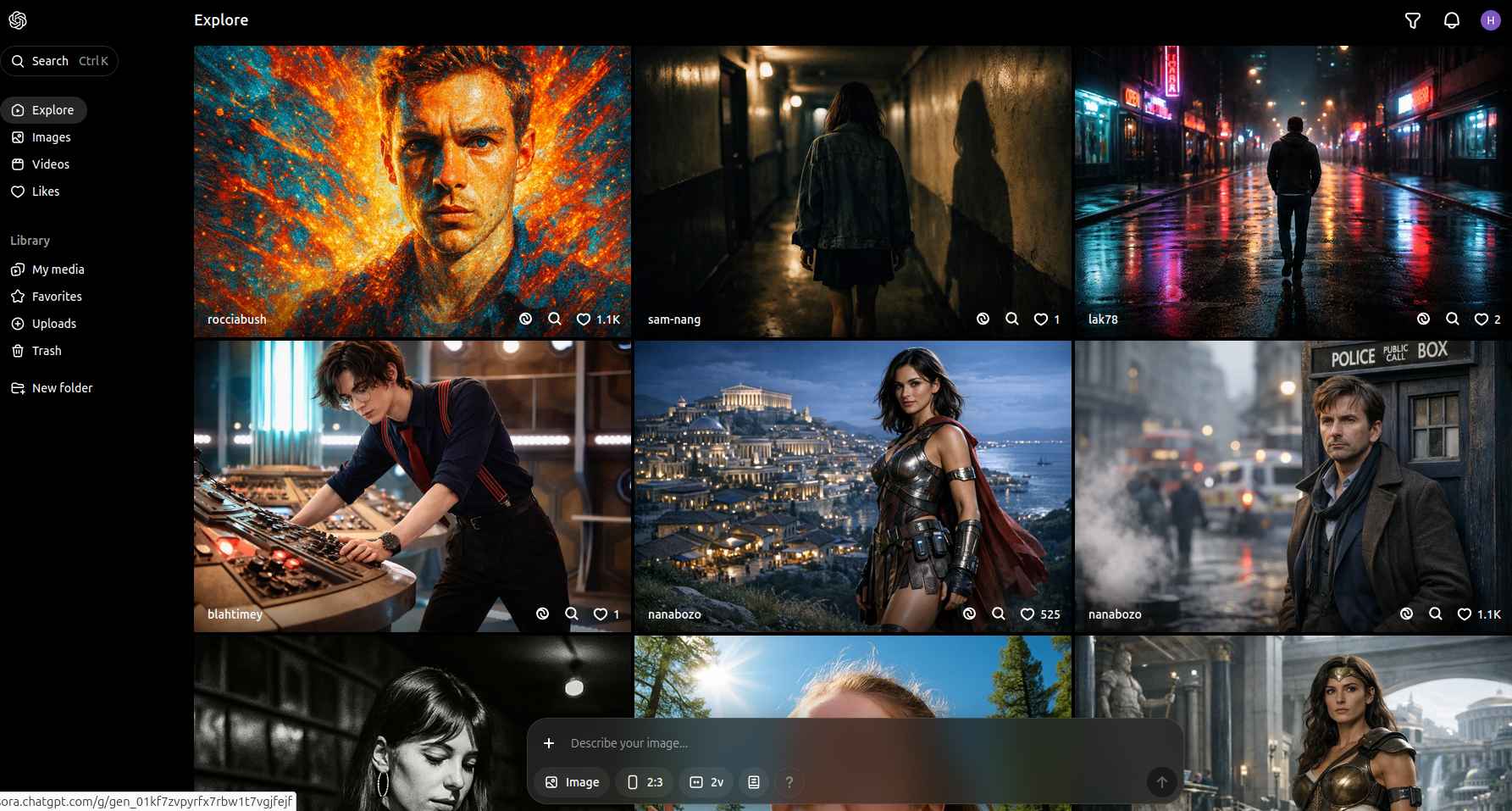
Image Source: Sora
Best For: Creating story-based and cinematic videos where you need consistent scenes and a clear narrative.
Compare the Top 10 AI Video Tools
| Software | Best Use Case | Pricing Model | Key AI Feature |
| 1. HeyGen | Corporate Training/Sales | Subscription (Credits) | AI Avatar Translation |
| 2. Adobe Premiere | Pro Video Editing | Monthly Subscription | Generative Extend |
| 3. Descript | Podcasts & Docs | Freemium / Sub | Text-Based Editing |
| 4. Filmora | Creators/Social | Perpetual / Sub | Smart Cutout / Beat Sync |
| 5. InVideo AI | Marketing Promos | Freemium / Sub | Prompt-to-Video |
| 6. Pictory | Blog-to-Video | Subscription | Auto-Summarization |
| 7. DaVinci Resolve | Cinematic Color/Audio | Free / One-time License | Neural Engine / Voice Isolation |
| 8. VEED.IO | Creators/Social/Marketers | Freemium / Sub | Text to Video AI, Multiple AI Video Models |
| 9. Luma Dream Machine | 3D/Motion Clips | Credit-based | Ray 2 Model |
| 10. OpenAI Sora | High-End Generation | Restricted/Enterprise | Text-to-Video Simulation |
Key Considerations for Platform Selection
The best platform depends on your goals and workflow. Start by considering the type of content you produce. For example, Descript works well for talking-head videos, while tools like InVideo AI are better suited for short-form social media clips.
Budget is another important factor. Pricing varies widely across platforms, so it is important to align costs with your available resources.
Technical requirements also matter. Some platforms run locally and require powerful computers, while others rely on cloud processing and a stable internet connection. Team size also matters as certain platforms are designed with collaboration in mind, while others cater to solo creators.
Finally, consider your long-term strategy. Platforms built around current social trends may lose relevance as algorithms change. Professional software like Adobe Premiere Pro offers greater stability but requires a greater investment of time and money.
Key Technical Considerations for 2026
Before integrating a new system, verify these technical requirements to avoid “tool sprawl” and security risks:
-
Data Residency: If you handle sensitive corporate or HIPAA-compliant data, ensure the vendor uses local, secure hosting. Atlantic.Net provides specialized infrastructure for these high-security needs.
-
API and Pipeline Integration: Avoid “islands” of content. Choose tools that can ingest data from your existing storage (like Dropbox or S3) and export directly to your publishing or review platforms (like Frame.io).
-
Credit Forensics: Most 2026 tools use credit-based pricing. Track these the same way you track ad spend. A single experimental afternoon can burn a monthly budget if you do not set usage limits at the team level.
-
Model Consistency: AI models are updated frequently. A prompt that worked in January might yield different colors or styles in June. Save “reference frames” and “style recipes” to maintain a consistent visual baseline over time.
The Bottom Line
AI video editing tools are reshaping how content is created and shared. From high-end platforms like HeyGen, Premiere Pro, and DaVinci Resolve to quick solutions like InVideo AI, each tool has unique strengths. The best choice depends on your budget, team, and creative needs. By understanding these options, creators and organizations can select the right platform to produce engaging, professional-quality videos that meet both current and future demands.
FAQ
What’s the best AI video editor for professional timeline work?
Adobe Premiere Pro and DaVinci Resolve Studio fit best when you need deep timeline control and finishing. Premiere’s Generative Extend addresses specific edge cases, while Resolve bundles edit, grade, VFX, and audio into one suite.
Which tool is best for editing video by editing text?
Descript is built around transcript-first editing. It also layers in AI tools for cleanup and repurposing (like removing filler words and generating clips) tied to plan tiers.
Are AI avatar videos a good fit for corporate teams?
Yes—when you need consistent messaging and frequent updates. HeyGen publishes clear plan limits and includes business features like SSO on higher tiers, which matters for company rollouts.
Can these tools generate b-roll or scenes from prompts?
Runway, Luma Dream Machine, and Sora 2 focus on prompt-generated video, with Runway emphasizing consistency and controllability. Treat them as “shot generators” and assemble the final piece in an editor.
Do these platforms support 4K export?
Some do, but it depends on the tier. For example, HeyGen lists 4K export on higher plans, and Descript lists 4K export on its Creator plan at the time of access. Always confirm export caps before standardizing.
How should teams think about copyright and safe usage?
Start with the vendor’s documentation on generation limits and constraints, then align on internal rules for voice/likeness use, brand safety review, and what qualifies for commercial release. For example, Adobe documents constraints around Generative Extend, and OpenAI describes Sora 2’s capability scope.
Should you choose cloud tools or desktop editors?
Cloud tools win on speed and collaboration. Desktop editors win on control, performance tuning, and finishing depth. Many teams use both: generate drafts in the cloud, and finish in a pro NLE.
Content updated: February 17, 2026
* This post is for informational purposes only and does not constitute professional, legal, financial, or technical advice. Each situation is unique and may require guidance from a qualified professional.
Readers should conduct their own due diligence before making any decisions.