
Table of Contents
- Why Use Dedicated Hosting?
- Feature Comparison Table (2026 Edition)
- Top Dedicated Hosting Services Reviewed
- #1. Atlantic.Net
- #2. Namecheap
- #3. HostGator
- #4. IONOS
- #5. Hostwinds
- #6. A2 Hosting (now Hosting.com)
- #7. AccuWeb Hosting
- #8. phoenixNAP
- Do I really need a dedicated server in 2026?
- Managed vs. Unmanaged: Which is right for me?
- How much RAM is enough?
- Dedicated Performance for Heavy Workloads
- Security and Compliance You Can Depend On
- Frequently Asked Questions (FAQ)
For 2026, the best dedicated hosting services allow you to isolate workloads for maximum security, compliance, and raw compute power.
Atlantic.Net is our top choice for regulated industries requiring compliant hosting and a 100% Uptime SLA. IONOS remains a standard for budget-conscious deployments, while PhoenixNAP and Hosting.com (formerly A2 Hosting) serve DevOps and speed-focused users, respectively.
When choosing a provider, prioritize NVMe storage, unmetered bandwidth, and verified compliance certifications (SOC 2/SOC 3) over introductory pricing. Dedicated hosting gives you exclusive access to a physical server’s resources—CPU, memory, storage, and network—so performance stays predictable under load.
The “best” dedicated host depends on your specific needs: compliance and audited controls, low-friction management, or maximum configuration control. Use a short checklist: confirm the uptime commitment, understand the bandwidth policy, choose storage (NVMe/SSD) and ECC memory for stability, and decide whether you want managed support or full root access.
Why Use Dedicated Hosting?
Dedicated hosting is the preferred choice when you require stable performance, total isolation, or granular control.
- Predictable performance: Choose a provider that eliminates “noisy neighbor” issues by ensuring no shared tenant contention for physical resources.
- Administrative control: You maintain full authority over the OS, software stack, and security hardening choices.
- Security posture: Physical isolation reduces cross-tenant risks and allows for stricter access controls.
- Scaling paths: You can expand capacity by upgrading hardware or deploying multiple dedicated nodes behind a load balancer.
Feature Comparison Table (2026 Edition)
| Provider | Best for | Management options | Uptime commitment | Bandwidth approach | Notable verification point |
| Atlantic.Net | Compliance-forward and mission-critical workloads | Managed and dedicated options available | 100% Uptime SLA (critical infrastructure; excludes scheduled maintenance) (Atlantic.Net) | Plan/contract dependent | 100% uptime SLA terms (Atlantic.Net) |
| Namecheap | Budget entry points to dedicated | Management depends on plan (incl. user-responsible options) | Uptime guarantee page states 99.9 monthly guarantee covers dedicated server accounts (review exceptions) (Namecheap) | Varies by configuration | Uptime guarantee includes dedicated accounts (Namecheap) |
| HostGator | Guided setup + common control panels | Managed positioning on dedicated page | 99.9% uptime guarantee | Policy states unmetered for dedicated plans (HostGator) | guided setup + OS choice + 99.9% (HostGator) |
| IONOS | UK buyers prioritizing facility certification signals | Varies by product | Not consistently stated on the dedicated page | Varies | Dedicated servers page references ISO 27001 certification for UK data centres (IONOS) |
| Hostwinds | Hands-on teams wanting out-of-band management | Managed and unmanaged | Varies by plan | Varies | IPMI access and 24/7/365 assistance messaging (Hostwinds) |
| Hosting.com (formerly A2 Hosting) | Managed dedicated with an uptime commitment | Sales-led config | 99.9% uptime commitment (service credit framing for unscheduled downtime) (hosting.com) | Not clearly standardized | uptime commitment (hosting.com) |
| AccuWeb Hosting | Custom builds + “guaranteed network uptime” positioning | Varies by plan | Markets guaranteed network uptime (confirm SLA/credit terms for your plan) (accuwebhosting.com) | Varies | guaranteed network uptime (accuwebhosting.com) |
| phoenixNAP | API-driven provisioning + DevOps workflows | Self-service, automation-first | n/a | n/a | Dedicated servers page lists API/CLI/WebUI/IPMI control + hourly/monthly billing (phoenixNAP | Global IT Services) |
Top Dedicated Hosting Services Reviewed
#1. Atlantic.Net

Best for compliance-ready dedicated hosting
Atlantic.Net positions its dedicated hosting around uptime commitments, audited controls, and regional deployments for latency and data residency needs. A popular choice for sensitive workloads (healthcare, finance) or when downtime risk is expensive.
Below is Atlantic.Net’s cloud control panel interface used to deploy and manage dedicated and GPU servers.
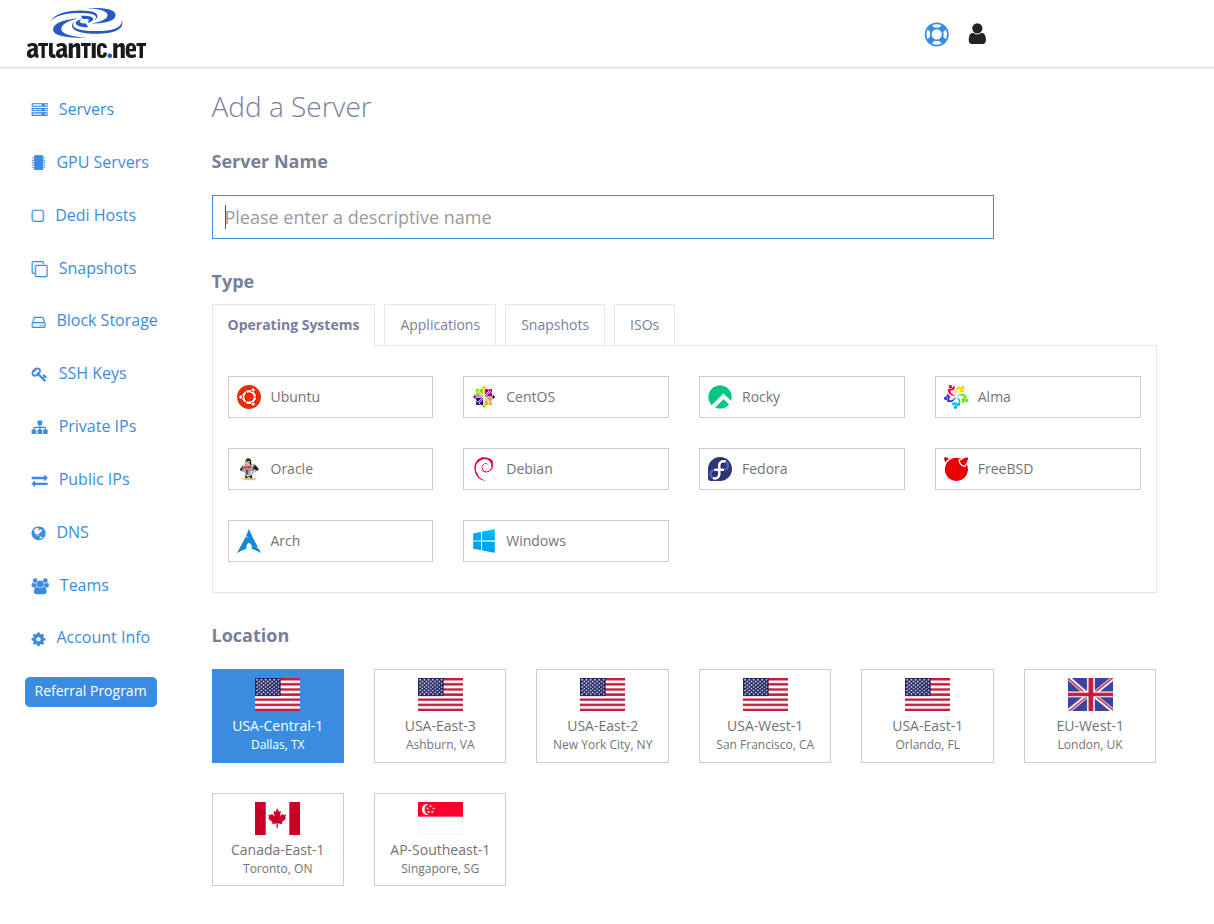
Image Source: Atlantic.Net
Key Specs: Varies by configuration (dedicated server offerings are customized)
Compliance: Compliance-focused posture with audited programs
Support: 24/7/365 positioning is part of Atlantic.Net’s service model
Verdict: If you need dedicated resources plus a compliance-forward provider story, Atlantic.Net is a strong fit—especially when the SLA and audit posture matter as much as raw specs.
What stands out:
- 100% Uptime SLA covering network, hardware, and infrastructure.
- Compliance-oriented posture with audited SOC 2 and SOC 3 reports.
- Multiple data center regions to reduce latency and support residency requirements
Who should choose Atlantic.Net? Teams running regulated or business-critical systems that need an SLA and documented controls.
#2. Namecheap

Best for budget-friendly dedicated options
Namecheap is widely known for domains, but its dedicated server catalog appeals to buyers who want dedicated hardware without enterprise overhead. It’s a common choice for smaller teams that can self-manage or selectively add management.
Let’s see the Namecheap dedicated hosting interface used to manage domains, deploy servers, and control hosting services from one place.
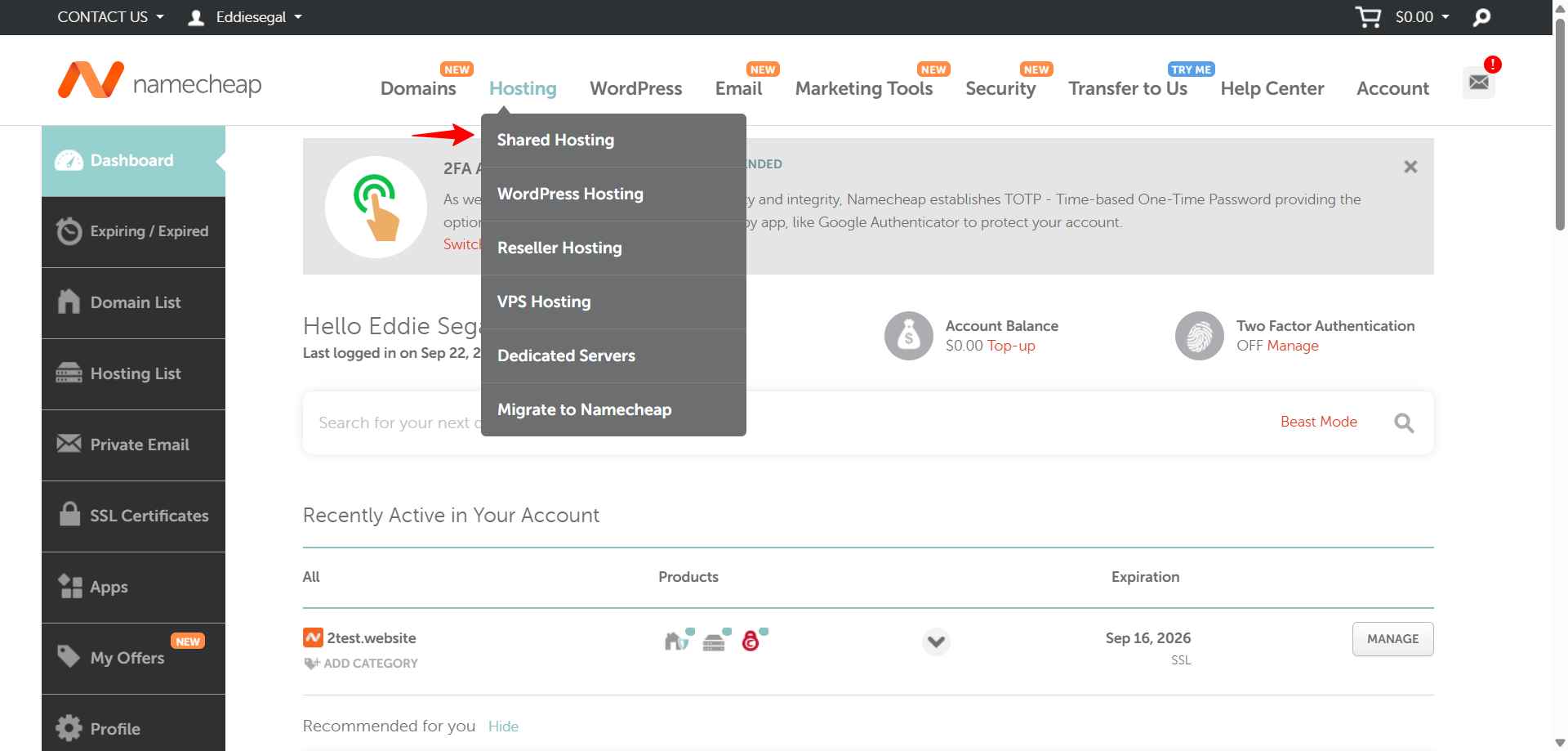
Image Source: NameCheap
Key Specs: Dedicated server configurations vary (including NVMe/SSD options)
Compliance: Not typically positioned as a compliance-first vendor
Support: The support model depends on the management tier
Verdict: Choose Namecheap if you want a straightforward dedicated server purchase path, and your team can handle most sysadmin tasks
What stands out:
- Broad dedicated configuration list (review storage and CPU options per plan)
- Uptime guarantee explicitly includes dedicated server accounts
- Multiple management tiers so you can pay for the level of help you need
Who should choose Namecheap? Cost-sensitive teams that still want dedicated isolation and can operate the server.
#3. HostGator

Best for guided setup and common control panels
HostGator’s dedicated plans are designed to be approachable: guided setup, familiar control panels, and common OS choices. It’s aimed at growing sites that want dedicated resources but not a complicated onboarding process.
Here is the HostGator cPanel dashboard, where you can manage websites, databases, email accounts, and hosting settings from a centralized interface.
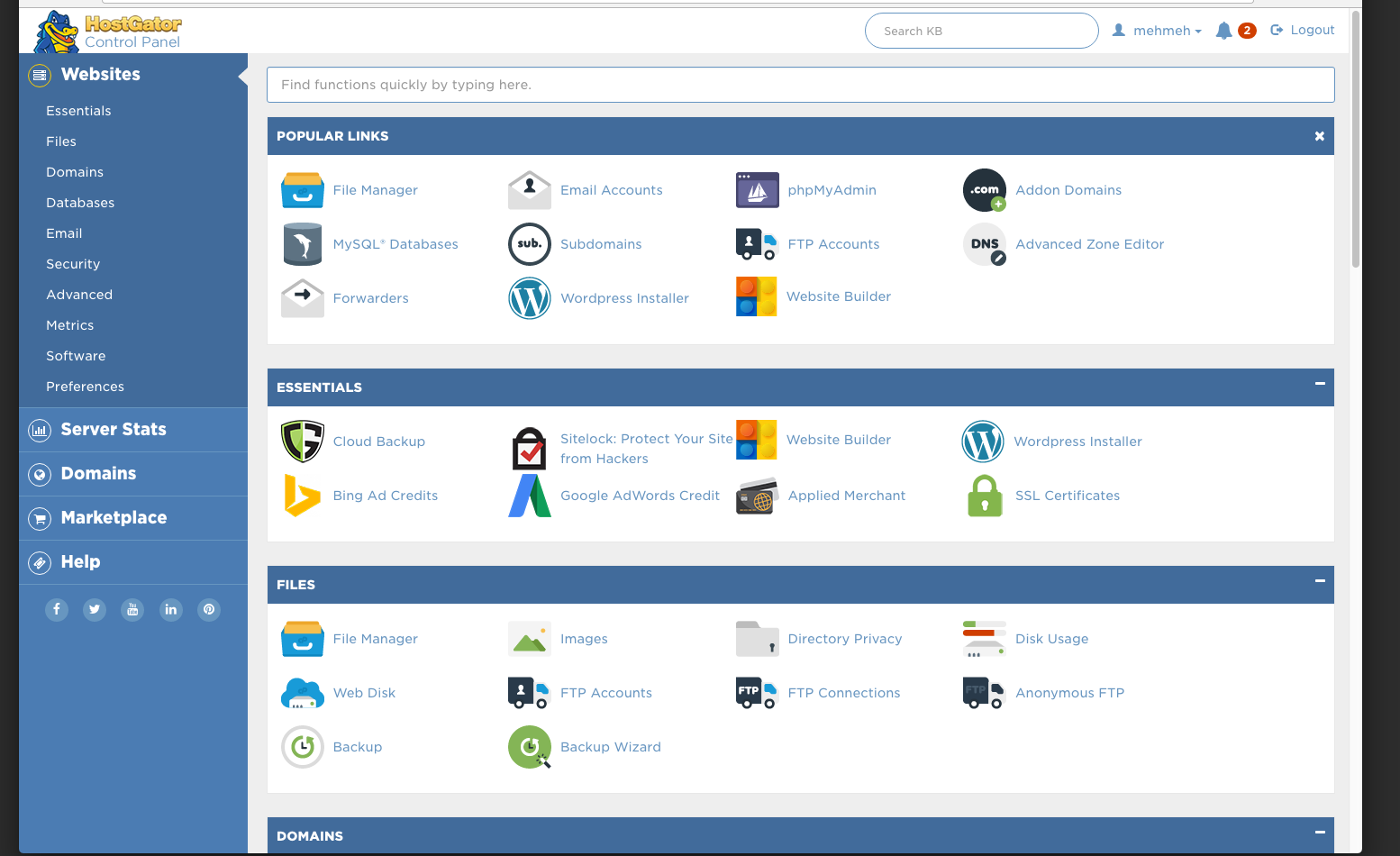
Image Source: HostGator
Key Specs: Varies by plan, but a good choice of hardware/
Compliance: Not positioned as compliance-audited for regulated workloads—confirm independently
Support: 24/7/365 chat and phone support
Verdict: If you want dedicated hosting with a “get it running fast” approach and mainstream tooling, HostGator is a practical pick.
What stands out:
- Guided server setup messaging (including help installing common tools)
- Good OS choice (Linux or Windows)
- Unmetered bandwidth for dedicated plans is stated in HostGator’s policy documentation.
Who should choose HostGator? Small businesses and agencies that value quick setup and easy administration over deep customization.
#4. IONOS

Best for buyers prioritizing certified UK data centres
IONOS is often considered by UK and EU buyers who want a large provider footprint and facility certifications as part of their vendor checklist. It’s a fit for general-purpose dedicated workloads where geography and documented facility standards are part of the decision.
Look at the IONOS Cloud control panel showing server image management, infrastructure configuration, and US data center deployment options.
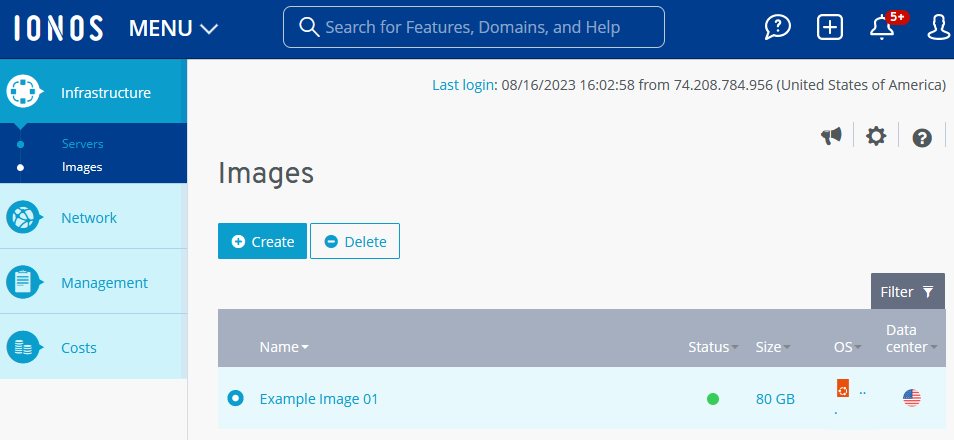
Image Source: IONOS
Key Specs: Varies by configuration
Compliance: ISO 27001-certified UK data centres
Support: The offer model varies by product.
Verdict: IONOS makes sense when you want dedicated hosting tied to a provider that foregrounds data centre security standards in the UK.
What stands out:
- ISO 27001-certified UK data centres referenced
- UK and global footprint messaging for latency and redundancy planning
- Security tooling references
Who should choose IONOS? UK/EU-focused teams that care about facility certification signals and a large provider platform.
#5. Hostwinds

Best for hands-on control and remote management options
Hostwinds is geared toward teams that want configuration control and operational access, including out-of-band management references (useful when the OS is unreachable). Plans vary, so it’s important to confirm what’s included versus optional.
Explore the Hostwinds cloud hosting panel designed for managing server resources, configuring security settings, and monitoring performance in real time.
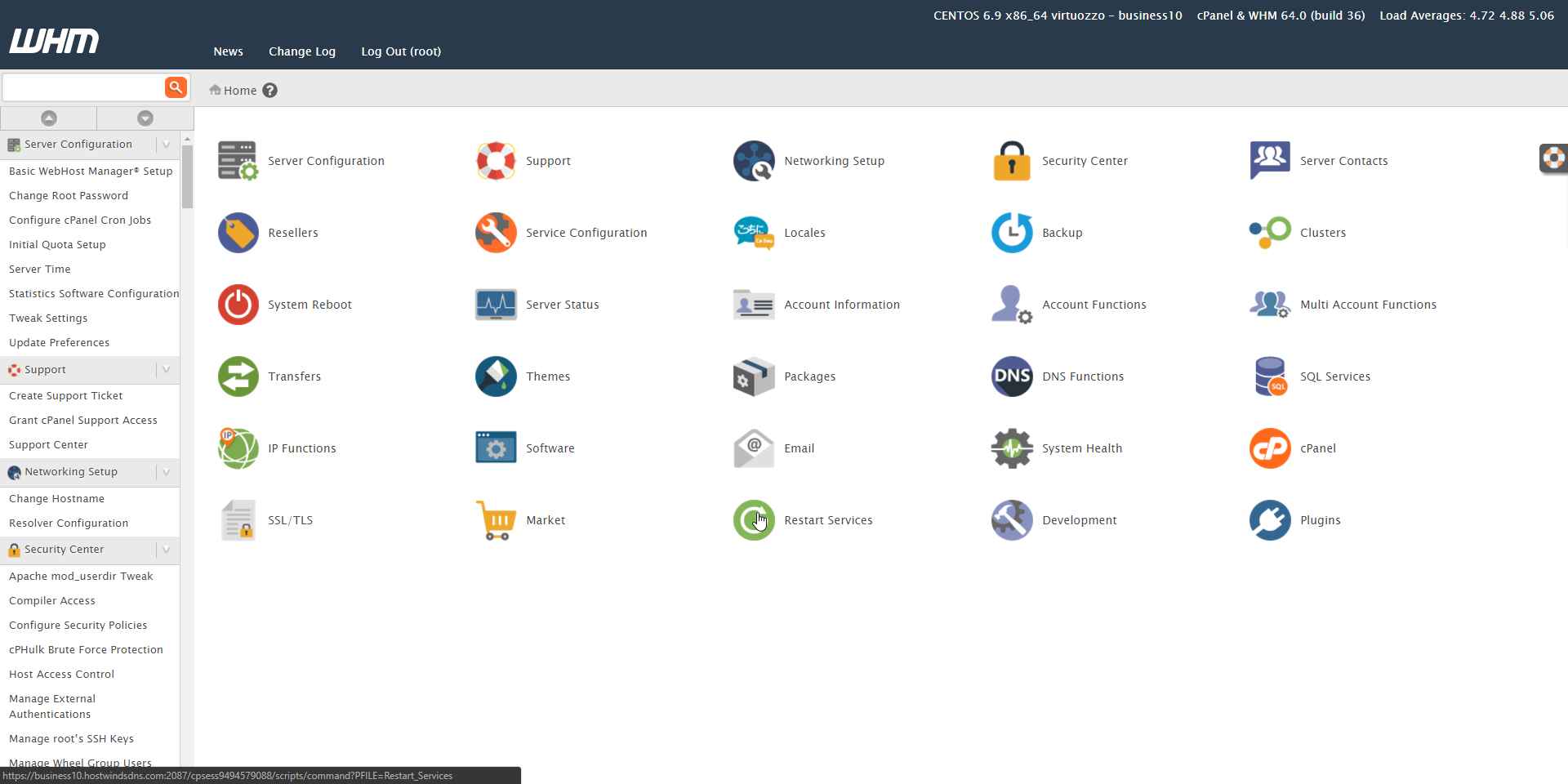
Image Source: Hostwinds
Key Specs: Varies by configuration
Compliance: Not typically positioned as audited for regulated workloads—confirm requirements
Support: 24/7/365 support
Verdict: Hostwinds fits developers and admins who want more control over the server lifecycle and value remote management capabilities.
What stands out:
- IPMI access is referenced for most dedicated servers
- 24/7/365 support
- Focus on customizable dedicated deployments (plan-dependent)
Who should choose Hostwinds? Technical teams that want control, customization, and remote management features.
#6. A2 Hosting (now Hosting.com)

Best for managed dedicated hosting with an uptime commitment
A2 Hosting has rebranded to Hosting.com, and its dedicated server offering is positioned around managed help, configuration flexibility, and an uptime commitment. It’s a reasonable pick when you want dedicated hardware without running every operational task yourself.
Let’s see the Hosting.com interface used to manage products, track services, and configure account settings with ease.
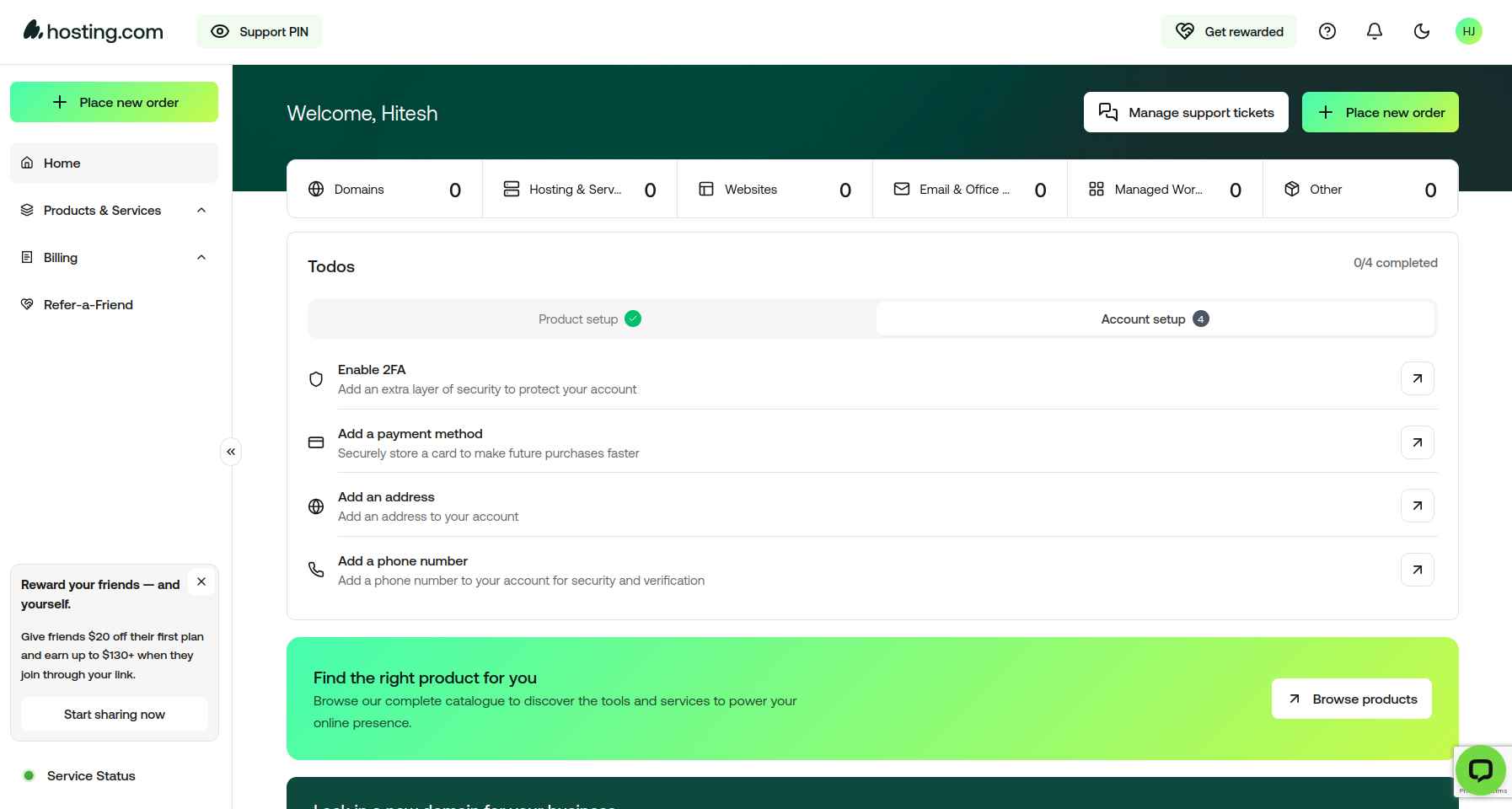
Image Source: Hosting.com
Key Specs: 99.9% uptime commitment (see terms)
Support: 24/7/365 in-house support
Verdict: Choose Hosting.com (A2) if you want managed dedicated options and clear messaging around uptime commitments and support availability.
What stands out:
- A2 Hosting → Hosting.com
- Dedicated servers positioned as “one machine, all yours,” with flexible RAM/storage language
- 99.9% uptime commitment page includes service-credit framing for unscheduled downtime
Who should choose A2/Hosting.com? Teams that want dedicated isolation but prefer managed support rather than full DIY operations.
#7. AccuWeb Hosting

Best for customizable dedicated servers and multiple server locations
AccuWeb Hosting markets dedicated servers with configurable builds and use-case positioning (including performance-heavy scenarios like game hosting). Their dedicated server pages emphasize customization and “guaranteed network uptime” language, but plan details vary—so buyers should verify exact inclusions for bandwidth, SLAs, and management before checkout.
Look at AccuWeb Hosting’s control panel interface used to manage Windows and Linux dedicated servers, databases, email accounts, and domain configurations.
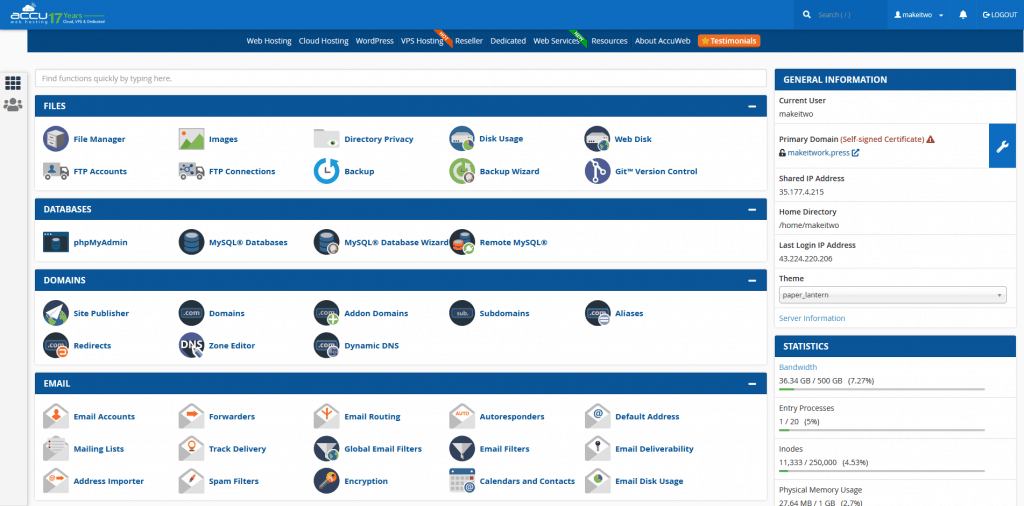
Image Source: AccuWeb Hosting
Key Specs: Wide choice of dedicated plans
Support: 24×7 Support available
Compliance: Not presented as an audited compliance
Verdict: AccuWeb is a fit when you want a configurable dedicated server, and you’re comfortable validating the exact SLA/uptime remedy, network policy, and what’s included in support for your chosen configuration.
What stands out:
- “Custom solutions” and build-to-requirement dedicated servers
- “Guaranteed network uptime”
Who should choose AccuWeb Hosting? Buyers who want customizable dedicated hardware and will validate plan-level terms (support scope, uptime remedy, and network policy) before purchase.
#8. phoenixNAP

Best for API-driven dedicated servers and DevOps-style provisioning
PhoenixNAP’s dedicated servers are built for teams who want to provision and manage infrastructure as code. Their dedicated server page highlights control via API/CLI/WebUI, plus IPMI access, and offers hourly or monthly billing options—useful for bursty environments or predictable long-term usage.
Explore PhoenixNAP’s Bare Metal Cloud dashboard interface used to deploy and manage dedicated servers, Kubernetes clusters, billing, and infrastructure resources.
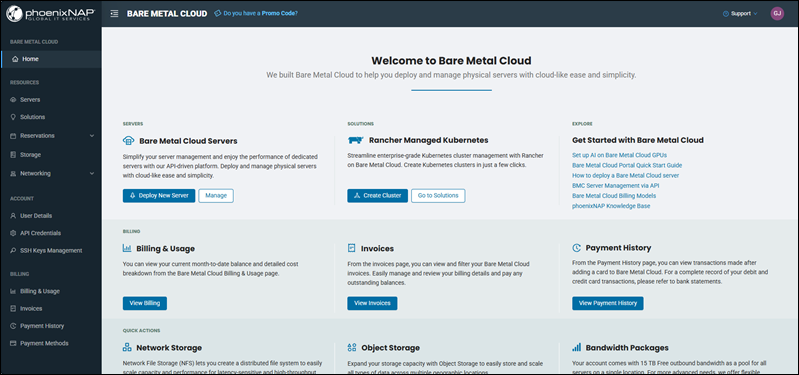
Image Source: PhoenixNAP
Key Specs: Control via API, CLI, WebUI, or IPMI; hourly or monthly billing options
Verdict: Pick phoenixNAP when your priority is automation, repeatable deployments, and operational control (especially if your team already uses CI/CD and wants dedicated hardware that fits that workflow).
What stands out:
- Dedicated servers positioned as “deploy in minutes” with automation-first control paths
- IPMI and API/CLI/WebUI management
- The company site highlights a catalog of pre-configured dedicated instances and “manage as code”.
Do I really need a dedicated server in 2026?
Yes, if you meet any of these criteria:
- Regulatory Compliance: You store sensitive data (HIPAA, PCI-DSS) and cannot risk “noisy neighbor” vulnerabilities found in shared or multi-tenant cloud environments.
- Predictable Performance: You run AI models, large databases, or high-traffic apps where CPU steal or I/O wait times are unacceptable.
- Cost Control: For heavy workloads, a fixed-price dedicated server is often 30-50% cheaper than equivalent resources on hyperscale clouds (AWS/Azure).
Managed vs. Unmanaged: Which is right for me?
- Choose Managed if you want the host to handle OS updates, security patches, and hardware monitoring. This lets you focus on your application code.
- Choose Unmanaged if you have a dedicated SysAdmin team, need custom kernel configurations, or want to install specialized software incompatible with standard management tools.
How much RAM is enough?
- 32GB: Minimum for modern web servers running a database and app server.
- 64GB – 128GB: Recommended for virtualization, high-traffic e-commerce, or medium-sized databases.
- 256GB+: Required for large-scale data processing, in-memory databases (Redis/Memcached), or AI inference tasks.
Dedicated Performance for Heavy Workloads
Dedicated hosting is great for those looking for raw server performance. By getting exclusive access to the server, the CPU, RAM, Storage, and Network, your essential business applications will have the resources available to operate at peak efficiency 24x7x365.
Dedicated servers are well-suited for a variety of uses, including:
- Popular Websites / E-commerce: Manage large volumes of traffic even in peak hours with ease.
- Databases and BI analytics: Run an entire enterprise database with room to spare, process large datasets quickly and securely to give you unique insights into your business.
- Deploy Resource-Hungry Apps: Run any software you need, whether it’s for video rendering, scientific computing, AI, or machine learning. The experience is seamless with zero slowdown or unexpected bottlenecks.
- Create a Private Cloud: Build your private cloud with the security and control that only dedicated hosting provides.
Don’t just take our word for it; the customer reviews frequently praise our performance benchmarks. This highlights our commitment to speed, security, compliance, and reliability. Third-party tests evidence this: Network tests reveal impressive throughput with high download and upload speeds, demonstrating Atlantic.Net high performance network infrastructure. All backed by a 100% uptime SLA, to give you further confidence that your services will remain online.
Security and Compliance You Can Depend On
Atlantic.Net has built its security and compliance services with a strong focus on protecting your data integrity. All of our data centers are SOC 2 and SOC 3 certified, and offer a range of managed security services to help secure your servers.
For businesses in the healthcare and financial sectors, Atlantic.Net’s compliance-ready hosting is a major advantage. We are one of the providers that will sign a Business Associate Agreement (BAA) for HIPAA compliance, showing our commitment to safeguarding sensitive information. This makes Atlantic.Net a trusted partner for organizations that handle Protected Health Information (ePHI) or other confidential data.
Frequently Asked Questions (FAQ)
What is the difference between Bare Metal and Dedicated Hosting?
In 2026, the terms are often used interchangeably. However, “Bare Metal” frequently refers to automated, API-provisioned dedicated servers (like PhoenixNAP), while “Dedicated Hosting” implies a more traditional monthly rental model with manual provisioning. Both offer single-tenant physical hardware.
Does a dedicated server improve SEO?
Indirectly, yes. Dedicated servers offer faster response times (TTFB) and higher uptime compared to shared hosting. Google’s Core Web Vitals prioritize speed and stability, so a faster server can contribute to better rankings.
Is dedicated hosting HIPAA-compliant by default?
No. A physical server is capable of being HIPAA compliant, but the host must actively provide physical security, access logs, and a Business Associate Agreement (BAA). Only providers like Atlantic.Net specialize in certifying this layer of compliance.
Can I upgrade my dedicated server later?
Most providers allow you to add RAM or storage drives with a brief maintenance window. However, upgrading the CPU usually requires migrating to a new chassis. Always over-provision your CPU slightly to account for growth.
* This post is for informational purposes only and does not constitute professional, legal, financial, or technical advice. Each situation is unique and may require guidance from a qualified professional.
Readers should conduct their own due diligence before making any decisions.