
Table of Contents
- What is bare metal hosting and why does it matter for AI?
- When should you choose GPU bare metal instead of GPU cloud instances?
- AI sizing checklist
- Security and compliance fit
- Operational fit for real teams
- Top bare metal hosting providers for AI projects (2026 shortlist)
- Premium & Specialized (Compliance-first)
- Premium enterprise providers (platform depth)
- Mid-range scalable (open/private cloud patterns)
- A Quick Checklist for Choosing a Provider
- Final Thoughts
- Frequently Asked Questions
Artificial Intelligence (AI) projects require infrastructure that is both powerful and reliable. Whether the work involves training deep learning models, running high-speed inference, or processing real-time analytics, AI workloads depend on consistent throughput, low latency, and a hardened security posture.
However, traditional virtualized cloud servers often struggle to meet these demands due to shared resources and variable performance, which can reduce overall efficiency and responsiveness.
This is why bare metal servers are increasingly used for AI. By providing direct access to dedicated physical hardware, bare metal hosting eliminates virtualization overhead, ensuring maximum availability of computing resources. Additionally, it offers greater control and customization, enabling AI teams to optimize both hardware and software configurations for their specific projects.
The best bare metal hosting provider for an AI project is the one that matches your workload type (training vs inference), your data risk profile, and your operating model (self-managed vs assisted). Start by sizing for GPU memory and storage throughput, then validate networking if you plan multi-node training. Next, confirm how you will provision, rebuild, patch, and roll back systems without slowing the team down. Finally, align security and compliance to written artifacts and contract terms. Once those basics are clear, use a categorized shortlist to pick the best fit for 2026
What is bare metal hosting and why does it matter for AI?
Bare metal hosting gives you dedicated physical hardware for your project. That matters for AI because performance variance can waste GPU time, and GPU time is usually the most expensive part of your stack.
With dedicated hardware, you can reduce “noisy neighbor” effects, keep configurations stable, and control the full software stack (drivers, runtimes, kernel settings, storage layout, and security tooling).
Bare metal is most useful when:
- You need predictable throughput for training runs that last hours or days
- You run production inference where latency and stability matter
- You have data isolation requirements that are easier with single-tenant hardware
- You want full control over drivers, images, and host-level optimization
When should you choose GPU bare metal instead of GPU cloud instances?
GPU cloud instances are often the fastest way to start., however, GPU bare metal is usually the better choice once any of these are true:
- Your GPUs are busy most days (steady utilization beats burst pricing models)
- You need stable, repeatable benchmarking across runs
- Your team needs host-level control (driver pinning, kernel modules, storage tuning)
- You want cleaner isolation boundaries for security reviews and audits
- You want a simpler cost model for long-running workloads
A simple rule: if you can’t tolerate variable performance or you expect steady usage, prioritize bare metal.
AI sizing checklist
Use this to avoid buying “more server” instead of the right server.
GPU and VRAM
- Match VRAM to model size + batch size + context length (inference) or optimizer states (training).
- Plan for headroom. If you run near VRAM limits, you lose time to tuning and failures.
- If multi-GPU is likely, confirm supported topologies and whether you can grow from 1 GPU to more later.
CPU and system RAM
- Don’t starve GPUs. Data loading, preprocessing, and networking still need CPU.
- For many workloads, more RAM helps keep datasets and cache hot.
Storage
- Prefer NVMe for local scratch space, checkpoints, and frequent reads/writes.
- For large datasets, confirm your plan for object storage or network storage and how it connects.
Networking
- Single-node work can succeed on standard networking.
- Multi-node training is a different requirement. Confirm east-west throughput and latency expectations before you commit.
Security and compliance fit
AI projects frequently touch sensitive data (customer records, proprietary datasets, regulated information, or internal knowledge bases). Treat compliance as a scope question:
- What services and systems are in scope?
- What provider artifacts can you review (audit reports, security docs, contract addenda)?
- What responsibilities stay with your team (IAM, encryption, logging, patching, key management)?
If your use case requires a BAA or other contract terms, confirm what’s included and what configuration responsibilities remain with you.
Operational fit for real teams
Bare metal is “simple” only when operations are planned. Before choosing a provider, confirm:
- Provisioning method (portal/API), rebuild time, and imaging approach
- How you apply OS/driver updates safely (and roll back)
- Backup and restore strategy for model artifacts and training checkpoints
- Your exit plan: how to export data and redeploy elsewhere using IaC and portable images
Top bare metal hosting providers for AI projects (2026 shortlist)
Below, the list is grouped into categories to make comparisons easier. The provider comparison table comes first, followed by consistent provider cards.
Provider comparison
| Provider | Category | Best fit | Hardware control | Compliance path | Support model |
| Atlantic.Net | Premium & Specialized | Regulated workloads + GPU hosting | High | Published compliance resources + contract alignment | Direct support options |
| IBM Cloud | Premium enterprise | Enterprise AI stacks and hybrid patterns | Medium–High (varies by product) | Enterprise governance programs | Tiered enterprise support |
| AWS | Premium enterprise | Broad ecosystem + global scale | Medium–High (dedicated and bare metal options exist) | Large compliance program (service-dependent) | Tiered support plans |
| Oracle Cloud Infrastructure | Premium enterprise | GPU bare metal + cluster patterns | High | Enterprise compliance posture (service/region dependent) | Enterprise support offerings |
| OpenMetal | Mid-range scalable | Private cloud / open infrastructure + dedicated GPU | High | Compliance depends on architecture and controls | Engineering-led support options |
Premium & Specialized (Compliance-first)
#1 – Atlantic.Net
Best for compliance-forward GPU hosting with a smaller-provider operating model
Atlantic.Net is a strong fit when you want GPU hosting options while keeping packaging and escalation paths straightforward. It’s also a practical choice when you need a provider that’s comfortable supporting regulated deployments and audit-driven environments.
Below is Atlantic.Net’s cloud control panel interface used to deploy and manage dedicated and GPU servers.
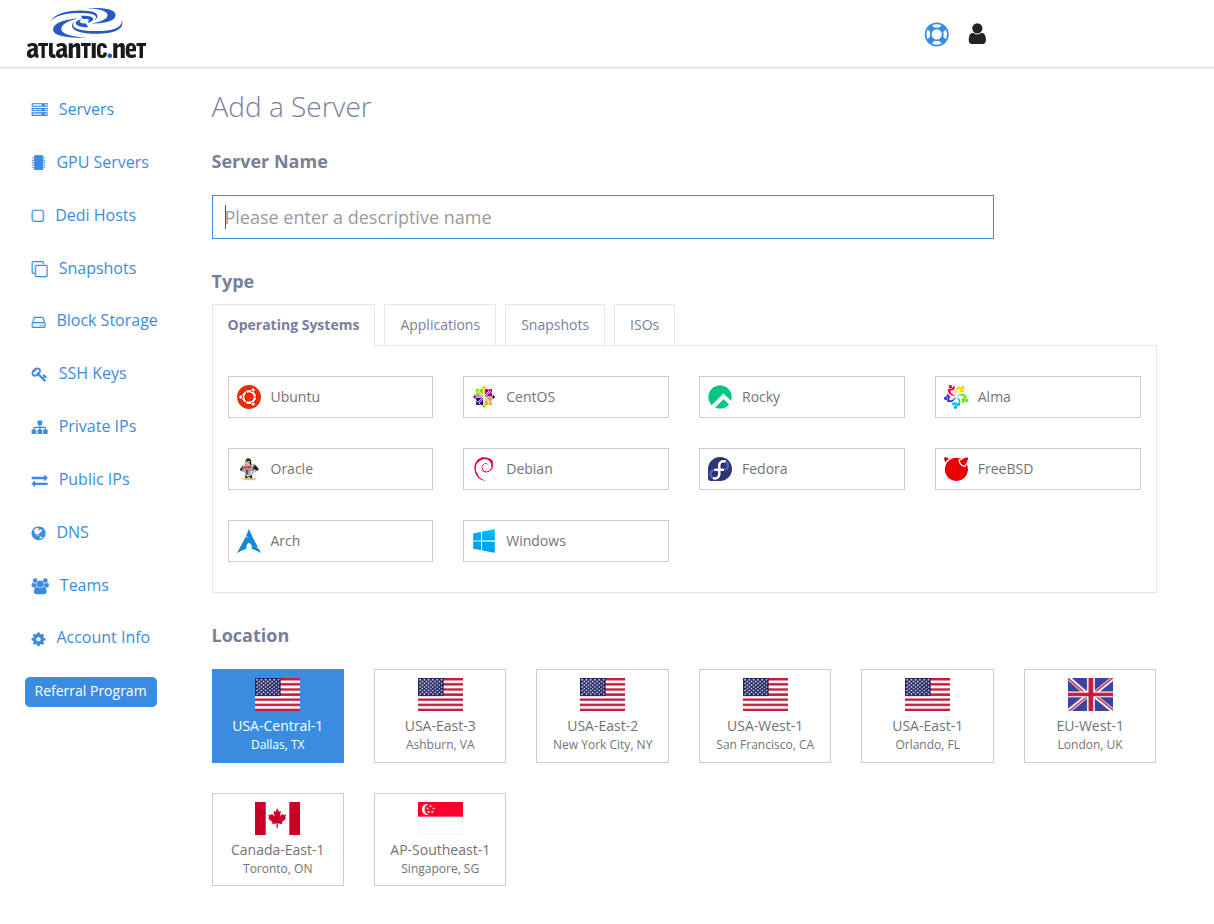
Image Source: Atlantic.Net
- Key Specs: GPU-focused infrastructure options across dedicated and cloud-style provisioning, sized for AI workflows.
- Compliance: Compliance support is scope-based; confirm which services are eligible for regulated workloads and whether a BAA (or equivalent) applies to your use case.
- Support: Always-available support options; confirm escalation paths and response expectations for production workloads.
- Verdict: Best for teams that want GPU hosting with a clearer support path and a compliance-forward posture.
What Stands Out:
- Clear alignment to regulated and security-reviewed deployments
- Practical for teams that want fewer platform layers
- Good fit for production AI workloads that value predictability
Who Should Choose Atlantic.Net?: Teams running regulated or sensitive-data AI workloads that need a provider comfortable with compliance-driven operations.
Premium enterprise providers (platform depth)
#2 – IBM Cloud
Best for enterprise AI programs that combine cloud + hybrid workflows
IBM Cloud is often shortlisted when enterprises need AI infrastructure choices that integrate with broader governance, hybrid patterns, and enterprise support structures.
Let’s see the IBM Cloud interface used to create resources, manage applications, and monitor storage and services across your environment.
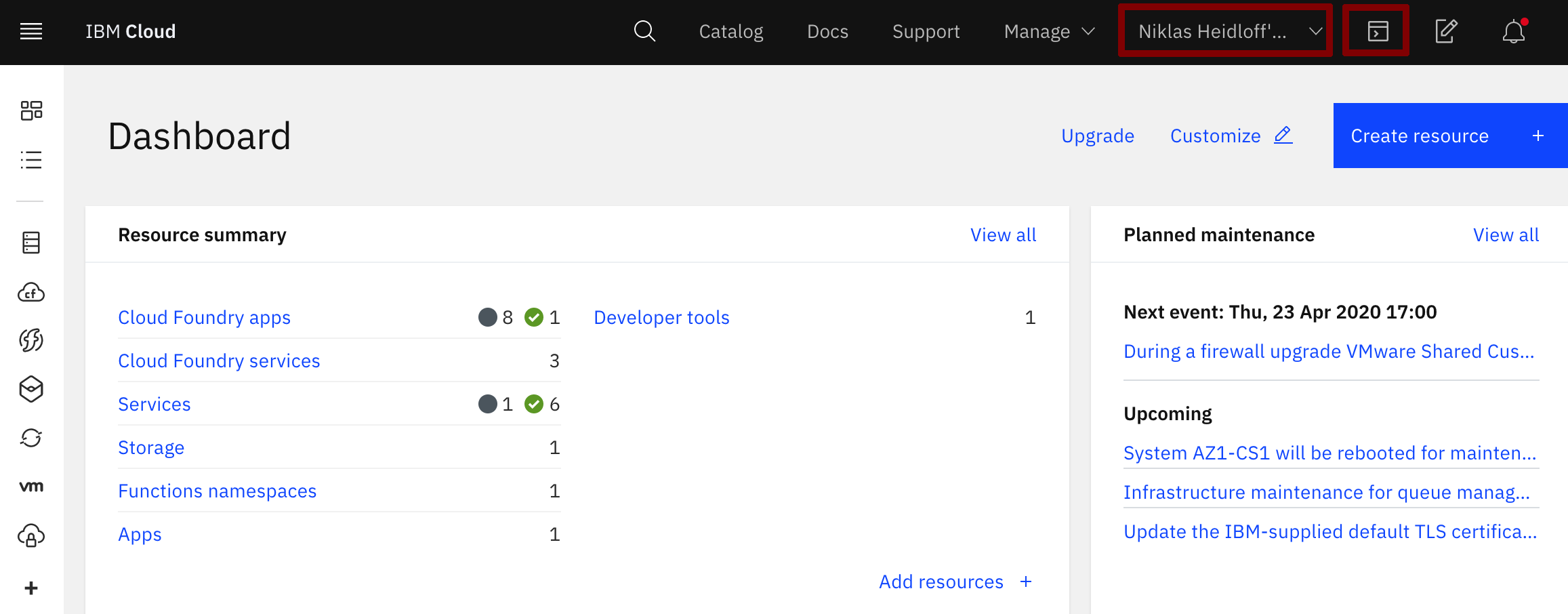
Image Source: IBM Cloud
- Key Specs: Cloud infrastructure with GPU and AI accelerator options designed for enterprise deployments.
- Compliance: Compliance varies by service and region; confirm scope, artifacts, and required controls for your workload.
- Support: Tiered support offerings; align on severity handling and escalation for AI production systems.
- Verdict: Best for enterprises that want GPU choice within an enterprise governance and hybrid-friendly approach.
What Stands Out:
- Enterprise-first operational posture
- Broad accelerator choices (service-dependent)
- Strong fit for standardized governance
Who Should Choose IBM Cloud?: Enterprises building AI programs that must align with broader governance and hybrid architecture.
#3 – AWS

Best for teams that want bare metal options plus the widest ecosystem
AWS is commonly chosen when your AI stack benefits from a large ecosystem: storage, networking, managed services, and many deployment patterns. It can be a fit when you want dedicated hardware options without leaving a single platform.
Here is the AWS EC2 dashboard, where you can control instances, monitor status, and configure settings.
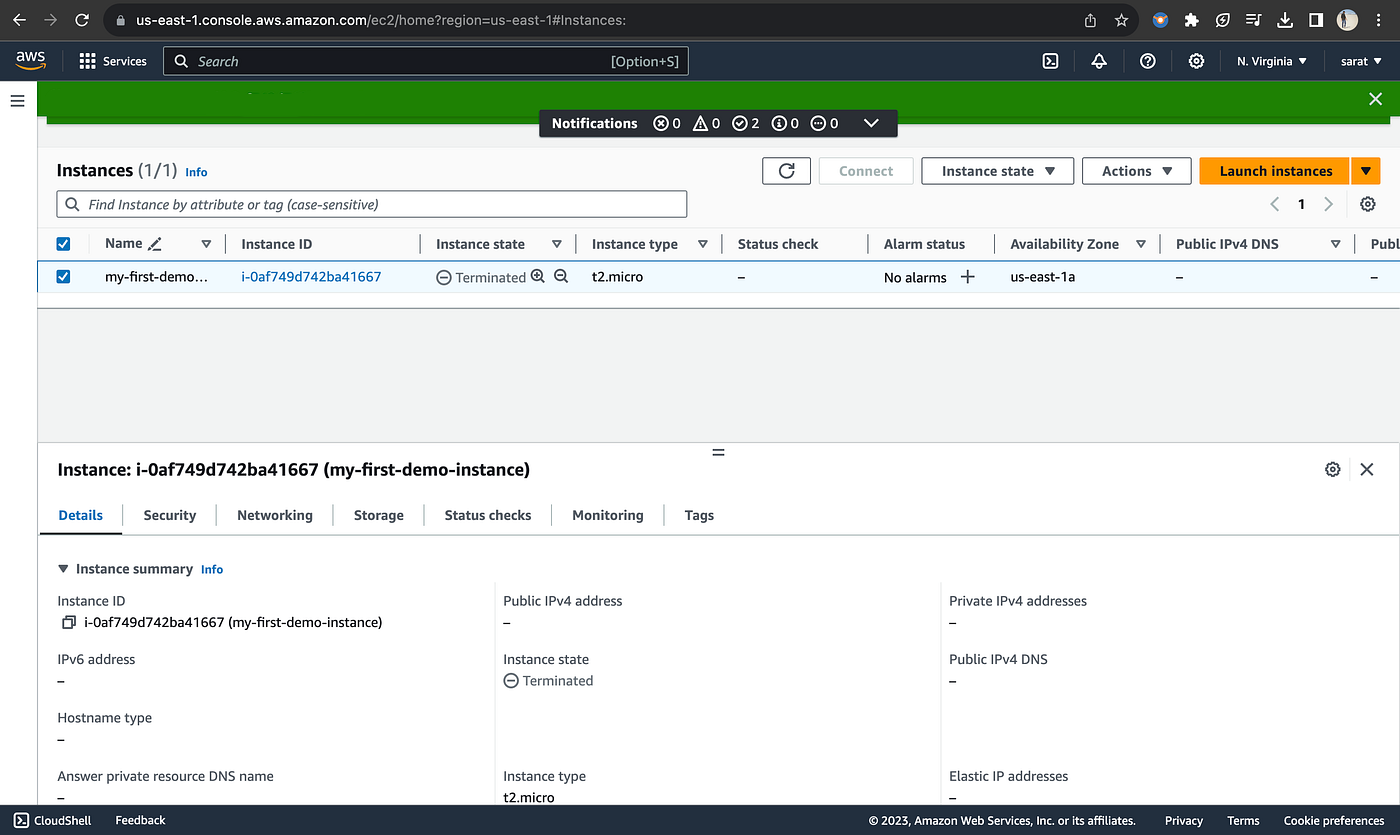
Image Source: AWS
- Key Specs: Broad compute portfolio, including bare metal instance options and GPU-backed compute families (availability varies by region).
- Compliance: Large compliance program, but requirements are service- and configuration-dependent; validate what is in scope.
- Support: Tiered support plans; confirm response targets and escalation for critical inference or training pipelines.
- Verdict: Best for teams that want platform breadth and many integration options, and can manage operational complexity.
What Stands Out:
- Many architecture choices within one ecosystem
- Strong integration across storage and networking services
- Good for teams standardizing on a single cloud stack
Who Should Choose AWS?: Teams that value ecosystem breadth and want multiple ways to run AI workloads at scale.
#4 – Oracle Cloud Infrastructure
Best for GPU bare metal clusters and HPC-style networking patterns
Oracle Cloud Infrastructure is a strong option when you want GPU bare metal patterns and cluster-oriented designs for AI and HPC workloads.
Take a look at the Oracle Cloud dashboard, where you can set up load balancers, manage billing, and deploy resources from a single panel.
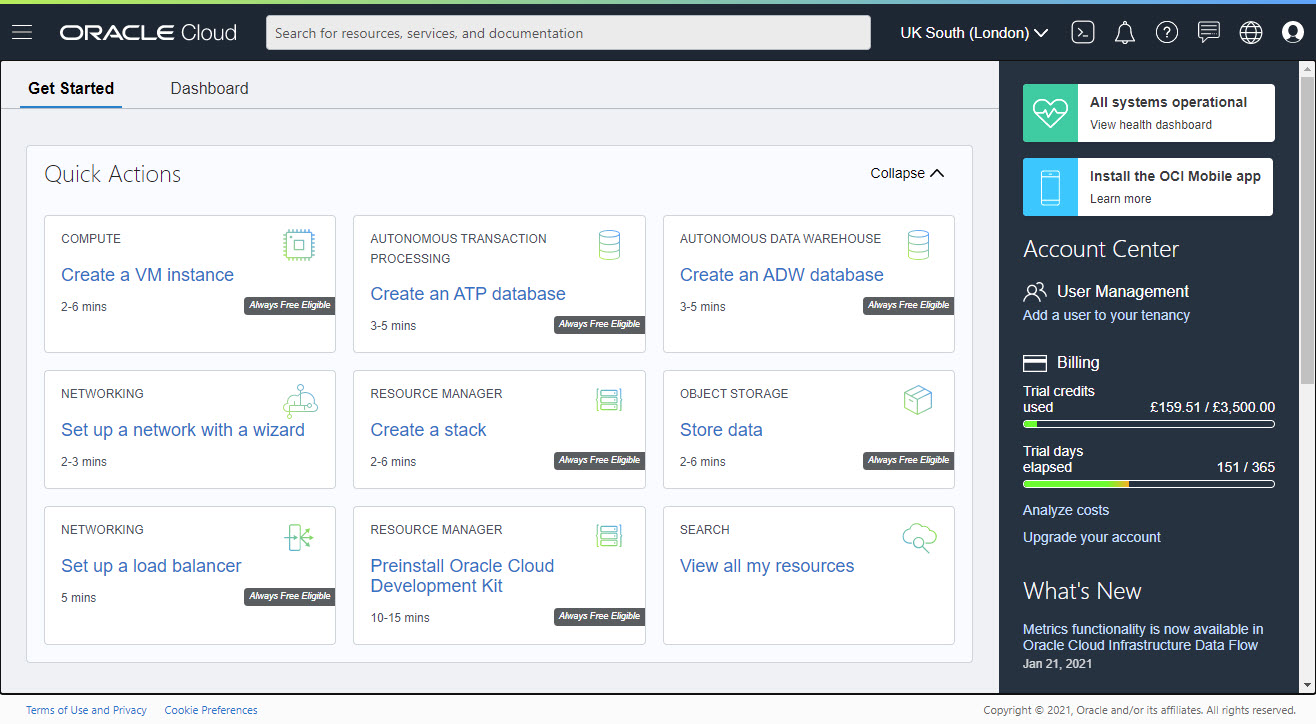
Image SOurce: Oracle Cloud
- Key Specs: Bare metal instance options including GPU-focused configurations and cluster networking patterns (service/region dependent).
- Compliance: Compliance posture varies by region and service; confirm what applies to your workload and data residency needs.
- Support: Enterprise support offerings; align on incident communications and escalation.
- Verdict: Best for teams planning multi-node GPU patterns and wanting bare metal control within an enterprise cloud.
What Stands Out:
- Cluster-oriented bare metal positioning
- Practical for HPC-style AI training needs
- Good fit for teams that want bare metal control in-cloud
Who Should Choose Oracle Cloud Infrastructure?: Teams that want GPU bare metal plus cluster/network options for large AI workloads.
Mid-range scalable (open/private cloud patterns)
#5 – OpenMetal

Best for private AI infrastructure on open building blocks
OpenMetal is positioned for teams that want dedicated GPU hardware with a private-cloud approach and open infrastructure patterns.
Here is the OpenMetal dashboard, where you can manage hardware assets, monitor servers, and configure infrastructure resources.
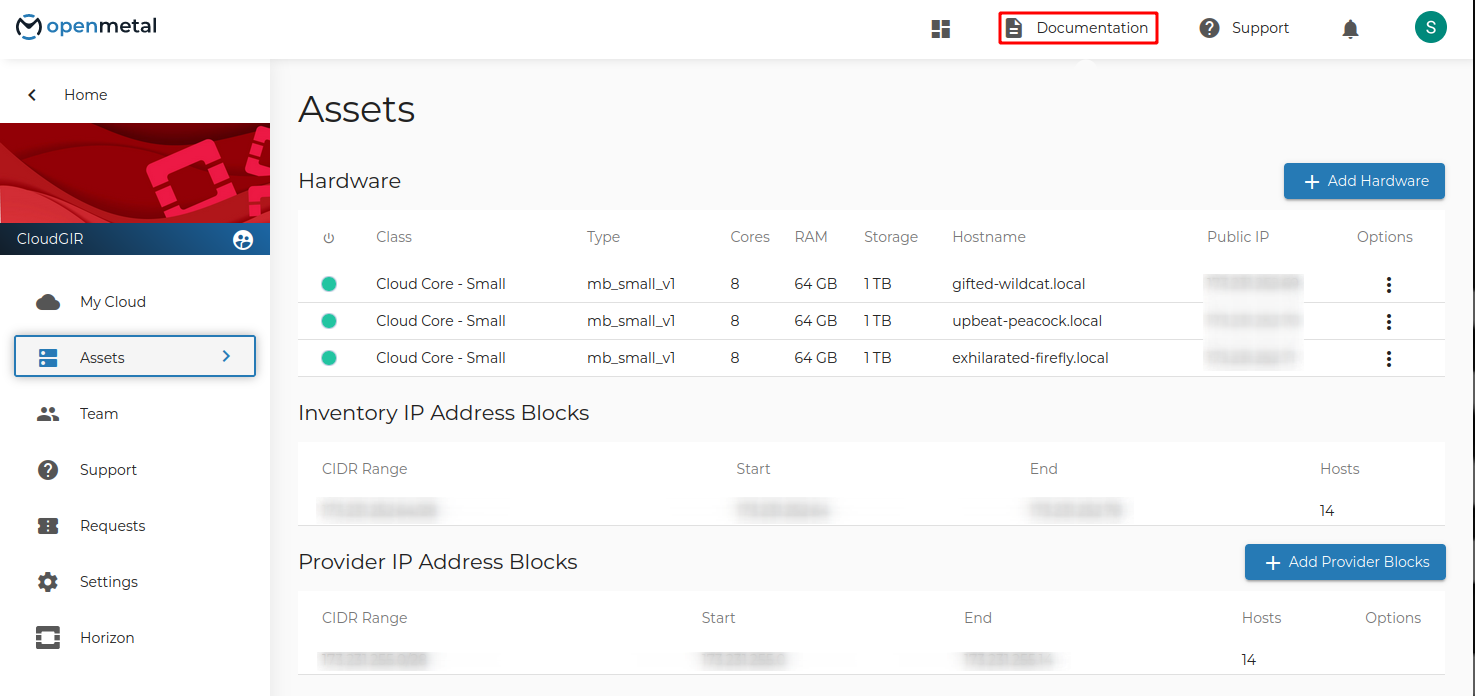
Image Source: OpenMetal
- Key Specs: Dedicated GPU servers and clusters designed for private infrastructure patterns.
- Compliance: Compliance depends on the controls you implement and the contract scope; confirm artifacts and responsibilities before production.
- Support: Engineering-led support options; confirm how architecture help and escalation work for AI workloads.
- Verdict: Best for teams that want open infrastructure patterns and dedicated GPU resources without multi-tenant variability.
What Stands Out:
- Private-cloud style control with dedicated hardware
- Fit for teams that want open platform patterns
- Good for predictable performance planning
Who Should Choose OpenMetal?: Teams building private AI infrastructure and prioritizing dedicated hardware with open building blocks.
A Quick Checklist for Choosing a Provider
Use this checklist to run a short, real evaluation (not a slide-deck selection):
- Define workload: training, fine-tuning, batch inference, or real-time inference
- Confirm GPU requirements: VRAM, single vs multi-GPU, expected utilization
- Validate storage plan: NVMe scratch + where datasets/checkpoints live
- Check networking needs: single-node vs multi-node, latency expectations
- Confirm provisioning: images, rebuild speed, IaC support, access model
- Review security/compliance scope: contracts, artifacts, and responsibilities
- Test support: how fast you can reach the right engineer when it matters
- Run a pilot: benchmark, failover/rebuild drill, restore test, and exit test
Final Thoughts
Bare metal is a strong AI foundation when you need predictable performance, isolation, and host-level control. The right provider is the one that matches your workload shape and your operating reality. If you’re unsure, run a two-week pilot and score providers on rebuild speed, stable performance, and how quickly support resolves real problems.
Frequently Asked Questions
Do I need bare metal to run AI workloads in production?
Not always. Many inference workloads run well on virtualized GPU instances or managed platforms. Bare metal becomes more compelling when you need stable performance, steady utilization, or tighter isolation boundaries.
What’s the difference between GPU bare metal and a GPU cloud instance?
GPU bare metal is single-tenant physical hardware. GPU cloud instances are usually virtualized and may share underlying resources. Bare metal typically gives you more control and more consistent performance, at the cost of higher operational responsibility.
What should I prioritize first: GPU model, VRAM, or networking?
Start with VRAM and model fit. If you can’t fit the model and batch size, nothing else matters. Next, validate storage throughput and data pipeline speed. Networking becomes the priority when you plan multi-node training or very high concurrency.
How do I validate a provider quickly before committing?
Run a short pilot with your real stack. Deploy via IaC, measure training/inference throughput, test checkpointing and restores, and perform a “rebuild drill” to confirm you can recover fast.
What compliance questions should I ask a provider?
Ask what is in scope, which artifacts are available for review, and what contract terms apply. Confirm your responsibilities for access control, encryption, logging, patching, and key management.
How important is support for AI bare metal?
Very. Driver issues, kernel changes, storage behavior, and networking constraints can block progress fast. You want clear escalation paths, predictable response expectations, and someone who can troubleshoot beyond basic hosting tickets.
How can I reduce lock-in if I choose bare metal?
Use portable images, IaC, and standard tooling. Keep model artifacts in formats that move easily. Document your provisioning steps so you can re-create environments elsewhere without manual rebuilds.
* This post is for informational purposes only and does not constitute professional, legal, financial, or technical advice. Each situation is unique and may require guidance from a qualified professional.
Readers should conduct their own due diligence before making any decisions.