Dedicated Server 1
- CPU
- 6-core Intel Xeon E-2236
- RAM
- 64 GB
- Storage
- 2 × 480 GB SSD (RAID 1)
- Price
- $139/mo
Run Windows Server on an entire physical machine with dedicated CPU, RAM, storage, and network capacity, full administrator access, no setup fees, and 24/7/365 US-based support.
Dedicated Configurations
6
Plans Start At
$139/mo
Windows dedicated hosting gives you a bare-metal server provisioned exclusively for your workload, running the Windows operating system of your choice. You get full administrator access from day one, dedicated hardware no other customer touches, and the predictable performance that shared hosting and virtual machines cannot deliver.
Atlantic.Net Windows dedicated servers run on Intel Xeon and AMD EPYC processors, backed by a triple 100% SLA covering network uptime, hardware replacement, and infrastructure availability. Five US data centers. US-based support, 24/7/365, no outsourcing. Founded in 1994.
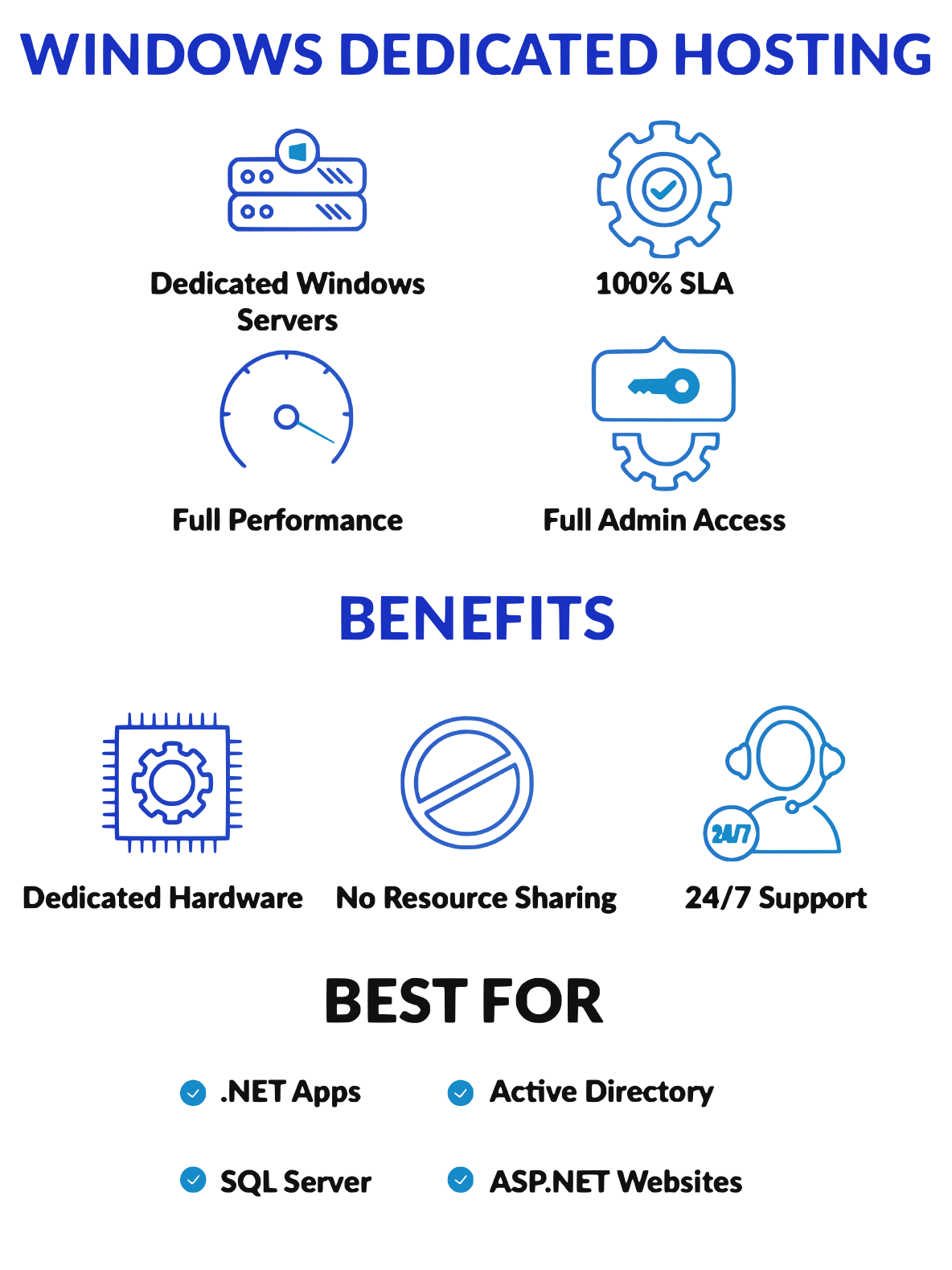
Windows dedicated hosting is a web hosting model in which you lease an entire physical server running Windows. Unlike shared hosting, where hundreds of users divide a single server's resources, or a virtualized environment where workloads compete for the same underlying hardware, a dedicated server gives you exclusive access to all of its CPU cores, RAM, storage, and network capacity.
The Windows operating system on a dedicated server runs natively on the physical hardware, not inside a virtual machine layer. This means your applications get the full processing power and memory of the machine, with no hypervisor overhead and no noisy neighbors consuming system resources at unexpected times.
Dedicated servers running Windows are suited to workloads that need the Windows platform specifically: .NET applications, SQL Server databases, Active Directory infrastructure, ASP.NET web applications, online stores built on Windows-native commerce platforms, and business applications that require Windows Server licensing.
Atlantic.Net offers six dedicated server plans. All plans include 20TB monthly outbound data transfer, a 1Gbps port, unlimited inbound bandwidth, no setup fees, and up to 30% off with longer billing terms.
Custom builds are available. Contact the Atlantic.Net sales team if none of the standard server options match your specifications.
| Plan | CPU | RAM | Storage | Price |
|---|---|---|---|---|
| Dedicated Server 1 | 6-core Intel Xeon E-2236 | 64 GB | 2 × 480 GB SSD (RAID 1) | $139/mo |
| Dedicated Server 2 | 12-core dual Intel Xeon E5-2620 v3 | 64 GB | 2 × 960 GB SSD (RAID 1) | $189/mo |
| Dedicated Server 3 | 36-core dual Intel Xeon Gold 6140 | 128 GB | 4 × 1.92 TB SSD (RAID 10) | $495/mo |
| Dedicated Server 4 | 36-core dual Intel Xeon Gold 6140 | 256 GB | 4 × 1.92 TB SSD (RAID 10) | $599/mo |
| Dedicated Server 5 | 36-core dual Intel Xeon Gold 6140 | 256 GB | 4 × 3.84 TB SSD (RAID 10) | $699/mo |
| Dedicated Server 6 | 64-core AMD EPYC 7702P | 128 GB | 2 × 960 GB NVMe SSD | $709/mo |
Dedicated Server 1 runs a 6-core Intel Xeon E-2236 with 64GB of RAM and 960GB of RAID1 SSD storage. At $139/mo, it covers small business websites, entry-level ASP.NET applications, and staging environments that need genuine dedicated hardware without the cost of a high-core-count machine.
Dedicated Server 1 runs a 6-core Intel Xeon E-2236 with 64GB of RAM and 960GB of RAID1 SSD storage. At $139/mo, it covers small business websites, entry-level ASP.NET applications, and staging environments that need genuine dedicated hardware without the cost of a high-core-count machine.
Dedicated Servers 2 through 5 step through dual-socket Intel Xeon configurations, reaching 36 cores and 256GB of RAM. These are the configurations businesses turn to when running multiple Windows services on a single machine: Active Directory domain controllers, SQL Server instances, IIS farms, and business applications that require substantial hardware resources and room to grow.
Dedicated Servers 2 through 5 step through dual-socket Intel Xeon configurations, reaching 36 cores and 256GB of RAM. These are the configurations businesses turn to when running multiple Windows services on a single machine: Active Directory domain controllers, SQL Server instances, IIS farms, and business applications that require substantial hardware resources and room to grow.
Dedicated Server 6 pairs a 64-core AMD EPYC 7702P with 128GB of RAM and NVMe SSD storage. The EPYC architecture delivers high memory bandwidth and per-core performance that suits compute-intensive Windows workloads, including large SQL Server databases, data processing pipelines, and high-traffic Windows web hosting.
Dedicated Server 6 pairs a 64-core AMD EPYC 7702P with 128GB of RAM and NVMe SSD storage. The EPYC architecture delivers high memory bandwidth and per-core performance that suits compute-intensive Windows workloads, including large SQL Server databases, data processing pipelines, and high-traffic Windows web hosting.
When you run on dedicated servers, every CPU cycle, every gigabyte of RAM, and every IOPS of disk throughput belongs to your workload. Shared servers divide these resources among every tenant on the machine. VPS hosting places your workload inside a virtual machine that still competes for the same physical hardware. Dedicated hosting removes that competition entirely. Your disk space doesn't shrink. Your processing power doesn't fluctuate because someone else's workload spiked.
When you run on dedicated servers, every CPU cycle, every gigabyte of RAM, and every IOPS of disk throughput belongs to your workload. Shared servers divide these resources among every tenant on the machine. VPS hosting places your workload inside a virtual machine that still competes for the same physical hardware. Dedicated hosting removes that competition entirely. Your disk space doesn't shrink. Your processing power doesn't fluctuate because someone else's workload spiked.
Atlantic.Net gives you full root access and full administrative privileges from the moment your server is provisioned. You choose the Windows Server version. You install the software, configure the services, set the security policies, and manage the machine as you see fit. Nothing is locked down at the hosting provider level. You can create virtual machines on the server using Hyper-V, install VMware ESXi, configure Active Directory, or run any Windows-compatible software your business needs.
Atlantic.Net gives you full root access and full administrative privileges from the moment your server is provisioned. You choose the Windows Server version. You install the software, configure the services, set the security policies, and manage the machine as you see fit. Nothing is locked down at the hosting provider level. You can create virtual machines on the server using Hyper-V, install VMware ESXi, configure Active Directory, or run any Windows-compatible software your business needs.
Atlantic.Net supports Windows Server 2016, 2019, and 2022 across all editions, with Windows Server licenses available. You specify the edition that matches your workload. The Datacenter edition is an option for environments that require creating virtual machines at scale using Hyper-V. The standard edition covers most dedicated server deployments where you run services directly on the host OS.
Atlantic.Net supports Windows Server 2016, 2019, and 2022 across all editions, with Windows Server licenses available. You specify the edition that matches your workload. The Datacenter edition is an option for environments that require creating virtual machines at scale using Hyper-V. The standard edition covers most dedicated server deployments where you run services directly on the host OS.
Windows dedicated hosting is cost-effective compared to on-premises server ownership, given hardware procurement, power, cooling, data center space, and maintenance. Atlantic.Net absorbs those costs. You pay a monthly fee that includes hardware, connectivity, data transfer, and the physical data center infrastructure, with no capital expenditure or depreciation planning required.
Windows dedicated hosting is cost-effective compared to on-premises server ownership, given hardware procurement, power, cooling, data center space, and maintenance. Atlantic.Net absorbs those costs. You pay a monthly fee that includes hardware, connectivity, data transfer, and the physical data center infrastructure, with no capital expenditure or depreciation planning required.
When your workload grows beyond your current server's capacity, Atlantic.Net's custom build option lets you specify higher core counts, more RAM, additional disk space, or faster NVMe storage. You're not locked into fixed hosting plans. The server options range from 6-core entry-level machines to 64-core AMD EPYC configurations, covering small-business deployments to large enterprise workloads.
When your workload grows beyond your current server's capacity, Atlantic.Net's custom build option lets you specify higher core counts, more RAM, additional disk space, or faster NVMe storage. You're not locked into fixed hosting plans. The server options range from 6-core entry-level machines to 64-core AMD EPYC configurations, covering small-business deployments to large enterprise workloads.
Shared hosting and cloud VPS instances can introduce latency variability, affecting business-critical data processing, database performance, and application response times. Dedicated server hosting eliminates that variable. Your server's performance reflects your workload, not the activity of strangers on the same hardware. That predictabilitymatters in production environments where SLAs and user experience depend on consistent response times.
Shared hosting and cloud VPS instances can introduce latency variability, affecting business-critical data processing, database performance, and application response times. Dedicated server hosting eliminates that variable. Your server's performance reflects your workload, not the activity of strangers on the same hardware. That predictabilitymatters in production environments where SLAs and user experience depend on consistent response times.
Atlantic.Net data centers carry independent audit certifications for SOC 2 Type II, SOC 3 Type II, HIPAA, HITECH, and PCI DSS. These compliance requirements apply to hosting providers that handle regulated data, including payment card information, protected health records, and financial data. If your business serves financial institutions, processes cardholder data, or handles patient records, your hosting provider's compliance posture is part of your own compliance story.
Atlantic.Net data centers carry independent audit certifications for SOC 2 Type II, SOC 3 Type II, HIPAA, HITECH, and PCI DSS. These compliance requirements apply to hosting providers that handle regulated data, including payment card information, protected health records, and financial data. If your business serves financial institutions, processes cardholder data, or handles patient records, your hosting provider's compliance posture is part of your own compliance story.
Dedicated server hosting provides enhanced security that a shared hosting or VPS environment cannot match. You are the only tenant on your hardware. A security incident affecting another customer's workload on a shared server cannot propagate to your machine, because there are no other customers on your machine. Your server's network traffic, storage, and compute resources are physically isolated from all other systems in the data center.
Dedicated server hosting provides enhanced security that a shared hosting or VPS environment cannot match. You are the only tenant on your hardware. A security incident affecting another customer's workload on a shared server cannot propagate to your machine, because there are no other customers on your machine. Your server's network traffic, storage, and compute resources are physically isolated from all other systems in the data center.
Running Windows Server on dedicated hardware gives you full control over Active Directory, Group Policy, Windows Firewall, and the full suite of Windows security features. You configure your own password policies, access controls, and audit logging. Security hardening happens at your level, not shared across hundreds of tenants with different requirements.
Running Windows Server on dedicated hardware gives you full control over Active Directory, Group Policy, Windows Firewall, and the full suite of Windows security features. You configure your own password policies, access controls, and audit logging. Security hardening happens at your level, not shared across hundreds of tenants with different requirements.
Atlantic.Net offers managed security services you can layer onto your dedicated server: Security Firewall, Intrusion Detection System (IDS), DDoS Protection, Web Application Firewall, CDN, and managed backups. These add-ons convert a self-managed server into a managed server environment where Atlantic.Net handles the security infrastructure while you retain control of your applications and data.
Atlantic.Net offers managed security services you can layer onto your dedicated server: Security Firewall, Intrusion Detection System (IDS), DDoS Protection, Web Application Firewall, CDN, and managed backups. These add-ons convert a self-managed server into a managed server environment where Atlantic.Net handles the security infrastructure while you retain control of your applications and data.
You access your Windows dedicated server through Remote Desktop Protocol (RDP), the standard Windows remote administration interface. From your local Windows, Mac, or Linux machine, you connect directly to the server desktop and manage it exactly as you would a physical machine in front of you. Full control panel access means you can install software, configure IIS, manage services, and perform system administration without restriction.
You access your Windows dedicated server through Remote Desktop Protocol (RDP), the standard Windows remote administration interface. From your local Windows, Mac, or Linux machine, you connect directly to the server desktop and manage it exactly as you would a physical machine in front of you. Full control panel access means you can install software, configure IIS, manage services, and perform system administration without restriction.
Windows Server includes Hyper-V, Microsoft's native hypervisor. With a dedicated server running Hyper-V, you can create virtual machines on top of the physical host, partitioning its resources across multiple isolated Windows or Linux environments. This is useful for hosting providers using reseller hosting plans, development teams running multiple isolated test environments, or businesses that want a private cloud architecture on dedicated hardware.
Windows Server includes Hyper-V, Microsoft's native hypervisor. With a dedicated server running Hyper-V, you can create virtual machines on top of the physical host, partitioning its resources across multiple isolated Windows or Linux environments. This is useful for hosting providers using reseller hosting plans, development teams running multiple isolated test environments, or businesses that want a private cloud architecture on dedicated hardware.
Atlantic.Net provides server monitoring as part of its managed services offering. Round-the-clock infrastructure monitoring tracks hardware health, network availability, and system events. US-based technical support is available 24/7/365 by phone at 866-618-3282 and by email, in both English and Spanish. When something needs attention, you reach engineers directly. There is no outsourced call center and no ticket queue that routes overseas.
Atlantic.Net provides server monitoring as part of its managed services offering. Round-the-clock infrastructure monitoring tracks hardware health, network availability, and system events. US-based technical support is available 24/7/365 by phone at 866-618-3282 and by email, in both English and Spanish. When something needs attention, you reach engineers directly. There is no outsourced call center and no ticket queue that routes overseas.
On a self-managed dedicated server, Windows update scheduling is your responsibility. You control when patches apply, how the server restarts, and which updates are approved for your environment. If you prefer to delegate patch management, Atlantic.Net's managed server add-ons cover this. Managed patching keeps your Windows server up to date with security fixes without requiring you to manually schedule maintenance windows.
On a self-managed dedicated server, Windows update scheduling is your responsibility. You control when patches apply, how the server restarts, and which updates are approved for your environment. If you prefer to delegate patch management, Atlantic.Net's managed server add-ons cover this. Managed patching keeps your Windows server up to date with security fixes without requiring you to manually schedule maintenance windows.
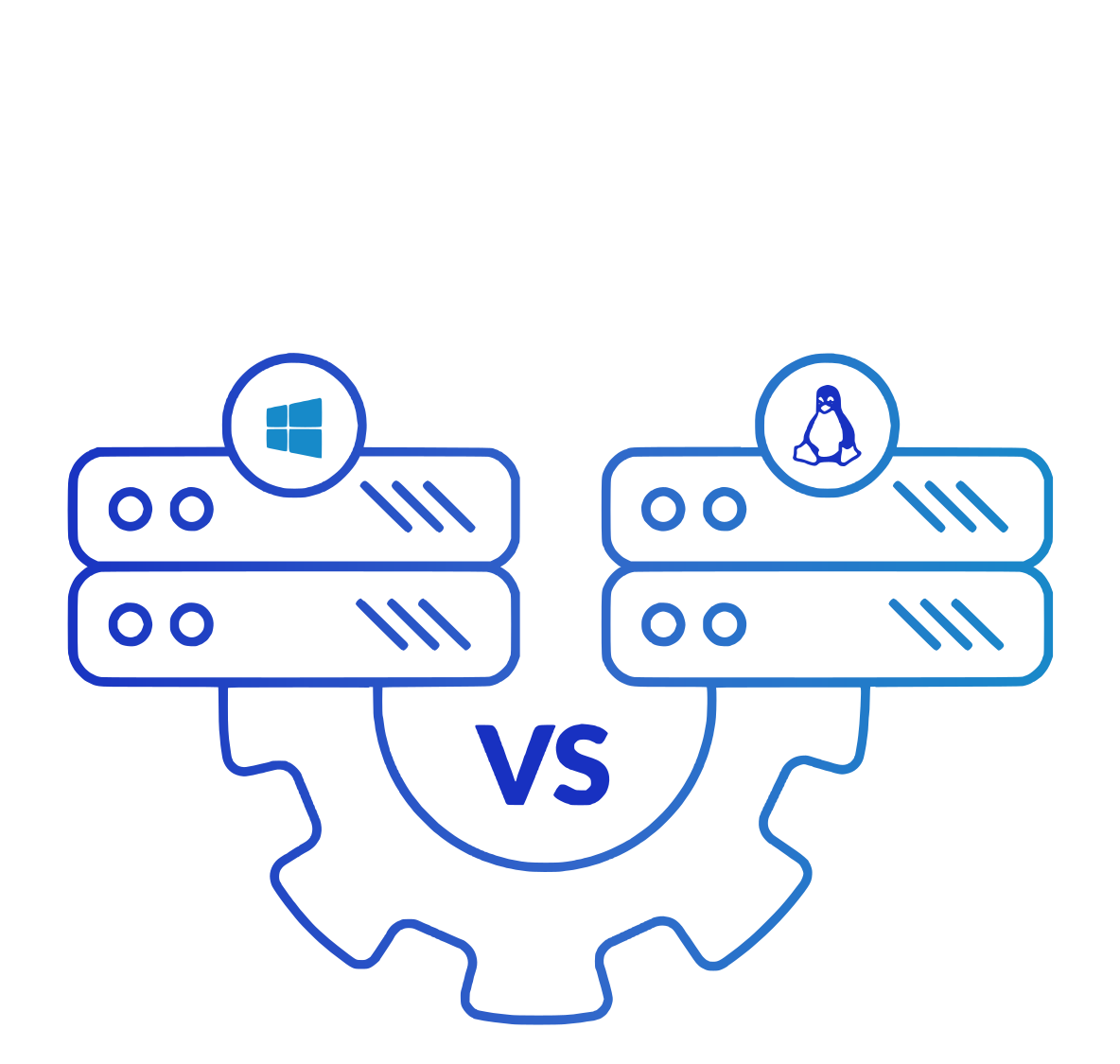
Both Windows and Linux servers run on the same underlying dedicated hardware at Atlantic.Net. The choice comes down to your application stack and tooling preferences.
Windows dedicated servers suit workloads that depend on Windows: IIS web hosting, ASP.NET applications, SQL Server databases, Active Directory, Exchange-compatible mail systems, and any commercial software distributed only as a Windows binary. If your development team works in .NET and your organization runs Microsoft products, Windows dedicated server hosting keeps your stack consistent from development through production.
Linux servers suit open-source stacks such as LAMP (Linux, Apache, MySQL, PHP), Python, and Node.js applications, containerized workloads, and environments where engineers prefer Linux tooling. Linux generally has lower licensing costs, since Linux itself is free, while Windows server licenses add to the monthly price.
Some workloads run comfortably on either platform. In those cases, Linux is often preferred for cost reasons. But if your applications are Windows-native, running them on Linux adds complexity and compatibility risks that outweigh the licensing savings. Atlantic.Net offers both, so you choose the operating system that fits your work rather than the one your hosting provider defaults to.
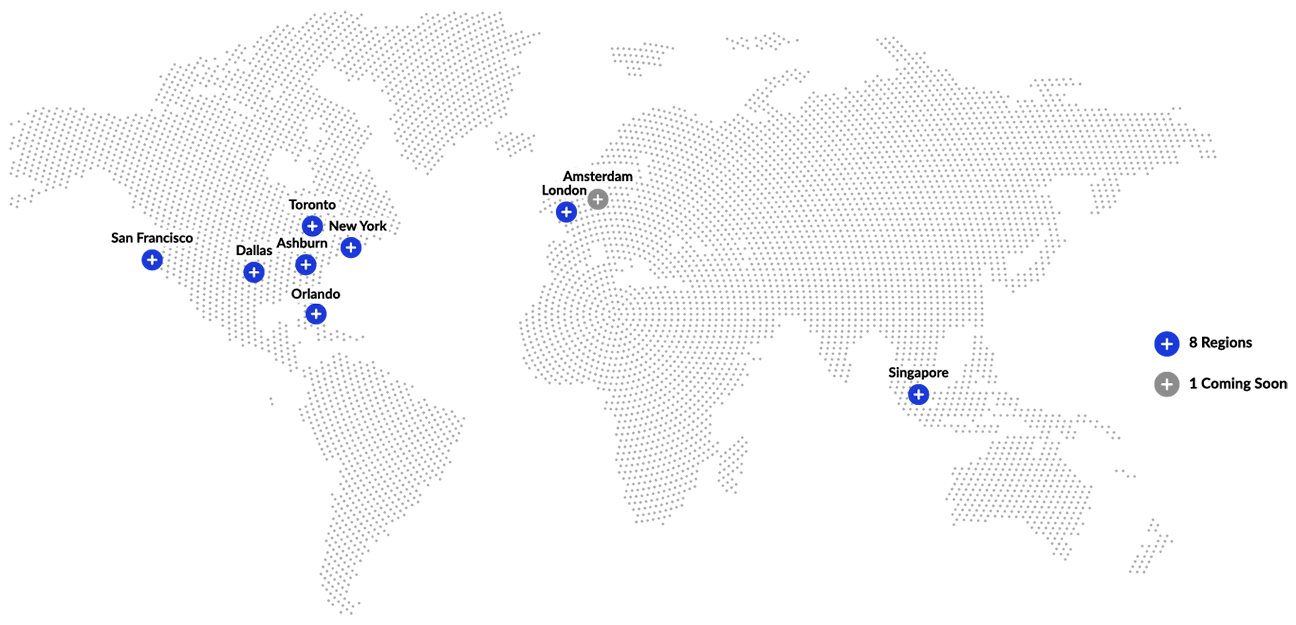
Atlantic.Net operates five US data centers: New York (11 miles from Manhattan), San Francisco, Ashburn, VA, Dallas, TX, and Orlando, FL. Each facility carries full SOC and compliance certifications. You choose the location closest to your users or required by your compliance framework. Businesses with disaster recovery requirements can split workloads across multiple data centers.
Atlantic.Net operates five US data centers: New York (11 miles from Manhattan), San Francisco, Ashburn, VA, Dallas, TX, and Orlando, FL. Each facility carries full SOC and compliance certifications. You choose the location closest to your users or required by your compliance framework. Businesses with disaster recovery requirements can split workloads across multiple data centers.
Atlantic.Net backs every dedicated server with a triple 100% SLA covering network uptime, hardware replacement time, and infrastructure availability. That's not the typical "99.9% network SLA" that permits several hours of downtime per year. When the SLA says 100%, it means hardware failures get replaced, not worked around, and the network stays up. If Atlantic.Net falls short, the SLA credit applies.
Atlantic.Net backs every dedicated server with a triple 100% SLA covering network uptime, hardware replacement time, and infrastructure availability. That's not the typical "99.9% network SLA" that permits several hours of downtime per year. When the SLA says 100%, it means hardware failures get replaced, not worked around, and the network stays up. If Atlantic.Net falls short, the SLA credit applies.
Atlantic.Net has operated since 1994. The company is privately owned and profitable, without the acquisition pressure or investor timelines that affect publicly traded hosting companies. Your dedicated server runs in a data center operated by a business that has been in this industry for over 32 years and plans to be here for 30 more.
Atlantic.Net has operated since 1994. The company is privately owned and profitable, without the acquisition pressure or investor timelines that affect publicly traded hosting companies. Your dedicated server runs in a data center operated by a business that has been in this industry for over 32 years and plans to be here for 30 more.
Every call to 866-618-3282 is routed to a US-based engineer. Atlantic.Net does not route support to outsourced call centers. The team that answers knows the infrastructure and understands the products, and has the authority to resolve issues directly. Support services run 24/7/365, including holidays. When your server has a problem at 3 am on a Sunday, the response is the same as at 9 am on a Monday.
Every call to 866-618-3282 is routed to a US-based engineer. Atlantic.Net does not route support to outsourced call centers. The team that answers knows the infrastructure and understands the products, and has the authority to resolve issues directly. Support services run 24/7/365, including holidays. When your server has a problem at 3 am on a Sunday, the response is the same as at 9 am on a Monday.
Atlantic.Net Windows dedicated server plans start at $139/mo for a 6-core Intel Xeon E-2236 with 64GB RAM and SSD RAID1 storage. The 64-core AMD EPYC configuration with NVMe storage costs $709/mo. All plans include 20 TB of outbound data transfer per month, a 1 Gbps port, unlimited inbound bandwidth, and no setup fees.
Longer billing terms unlock discounts of up to 30% compared to month-to-month pricing. Windows Server licenses are priced separately and quoted at the time of order based on edition and version. Contact the sales team for custom server configurations or volume pricing for multiple dedicated servers.
Deploy close to your users from eight international data centers worldwide, with new regions on the way.

Jason Coleman
VP of Information Technology, Orlando Magic
"After evaluating a range of managed hosting options to support our data operations, we chose Atlantic.Net because of their superior infrastructure and extensive technical knowledge."

Joseph Nompleggi
VP of Product Development, Complete Healthcare Solutions
"As our reliable Healthcare IT compliance partner for the past ten years, Atlantic.Net continues to deliver advanced IT architectural design and security guidance and support to CHS. With their flexible, customized solutions and high touch approach, we look forward to continuing to grow and work with this distinguished team of professionals."

Gilad Shainer
Senior Vice President of Networking, NVIDIA
(Formerly Vice President of Market Development at Mellanox Technologies)
"Leveraging InfiniBand's performance, efficiency and scalability capabilities, Atlantic.Net is able to provide its customers with a high-performance, reliable and scalable on-demand public cloud hosting platform."

Erin Chapple
General Manager for Windows Server, Microsoft Corp.
"Atlantic.Net's support for Windows Server Containers in their cloud platform brings additional choice and options for our joint customers in search of flexible and innovative cloud services."

From single servers to fully managed clusters, we'll help you build the ideal infrastructure for your business.
Call or email us now.
Contact an advisor at 866-618-DATA (3282), email sales@atlantic.net, or fill out the form below to get started.
Recognized with the 2026 Excellence in Customer Service Award from the Business Intelligence Group, Atlantic.Net is committed to delivering industry-leading support and an exceptional customer experience.