
Training AI models, building complex deep learning networks, and processing the large-scale datasets AI applications require demand significant processing power, often exceeding traditional server hardware capabilities. As AI adoption scales in 2026, compute demand is rising not only for training but also for real-time inference.
The Graphics Processing Unit (GPU) has become instrumental for AI and ML development in recent years. Initially engineered for gaming and rendering visuals, GPUs possess a complex architecture that’s optimized for the mathematical operations needed by AI workloads. In 2026, GPUs remain the standard for both training large models and serving production AI systems.
To unlock the full potential of AI workloads, organizations can use cloud GPU hosting (such as Atlantic.Net GPU Hosting) for scalable, cost-effective, high-performance infrastructure. Cloud-based GPU access is now the default for most AI teams, rather than on-premises deployments.
In this article, we’ll cover:
- Why GPUs outperform traditional CPUs for demanding AI workloads.
- The key advantages of accessing GPU instances via the cloud.
- A comparison of leading cloud GPU providers for AI projects.
- Factors to consider when selecting the right GPU options, including examples of the best GPUs.
- Major AI applications where GPU acceleration provides significant benefits.
- Important considerations around environment setup, data security, and cost management when using cloud GPUs.
CPU and GPU Role in AI
While Central Processing Units (CPUs) have traditionally been the data center workhorse, their architecture limits AI performance. CPUs remain important, but GPUs have emerged as the king for processing AI tasks. This gap has widened further in 2026 as AI models grow in size and complexity.
- Sequential Tasks: CPUs are designed with fewer, but very powerful cores optimized for handling tasks one after another.
- Parallelism: Many AI and ML tasks, especially model training and deep learning, involve performing the same calculation across vast amounts of data simultaneously (like large-scale matrix operations).
- CPUs Struggle with Parallel AI Tasks: Their sequential design makes them inherently less suited for the massive parallelism required, leading to longer processing times.
In contrast, GPUs offer a different approach:
- GPU Parallel Architecture: GPUs contain thousands of smaller, specialized cores (like CUDA cores and Tensor Cores).
- Simultaneous Calculation: GPU architecture enables parallel processing at scale, executing thousands of calculations per second.
- Faster for AI: GPU acceleration makes them significantly faster than CPUs for the intense parallel tasks associated with AI and ML.
While CPUs remain important for general system operations, specialized GPU instances deliver the specific compute power needed for demanding AI workloads, drastically reducing calculation times.
Understanding Cloud GPU Hosting
Cloud GPU hosting is a service in which cloud providers offer remote access to powerful GPU resources in a secure data center. This lets organizations avoid the substantial investment and overhead of managing on-premises GPU servers by renting cutting-edge hardware on demand in the cloud.
Startups and enterprises now use this model as AI workloads move into production environments.
GPU Hosting introduces several advantages:
- Increased Scalability: Organizations can dynamically adjust GPU resources to match project demand and pay only for the compute capacity they use.
- Forget About Hardware Management: Cloud hosting removes the complexities of purchasing, housing, cooling, powering, and maintaining physical GPU hardware. You can sit back and relax, letting experts handle the complexity.
- GPU Choice and On-Demand Support: Cloud environments offer a range of GPU options built on the latest technologies. Cloud GPU hosting typically offers efficient, optimized software stacks and comprehensive technical support to improve performance and simplify deployment.
In 2026, many providers also include pre-configured AI environments to reduce setup time.
Choosing Your Cloud GPU Provider
Now let’s look at what the biggest GPU Hosting providers offer.
Selecting the right cloud provider is key to optimizing performance and cost for your AI projects. While many providers offer GPU instances, their hardware, pricing, geographic reach, management tools, and focus areas can vary significantly. In 2026, this decision increasingly depends on inference pricing, GPU availability, and deployment speed.
Here’s a comparative look at some big players in the AI GPU hosting market:
#1: Atlantic.Net:

Atlantic.Net offers dedicated and cloud GPU hosting for AI and machine learning, with NVIDIA A2, L40S, and H100 NVL options. The A2’s 16 GB of GPU memory provides a lower-cost starting point for smaller inference deployments. L40S and H100 NVL configurations serve projects with greater compute or memory requirements.
Healthcare organizations can also choose an A2 configuration through Atlantic.Net’s managed HIPAA GPU hosting, with managed security, backups, and a BAA. The engineering team can help assess your model’s infrastructure needs, expected usage, and support requirements.
Below is Atlantic.Net’s cloud control panel interface for deploying and managing dedicated and GPU servers.
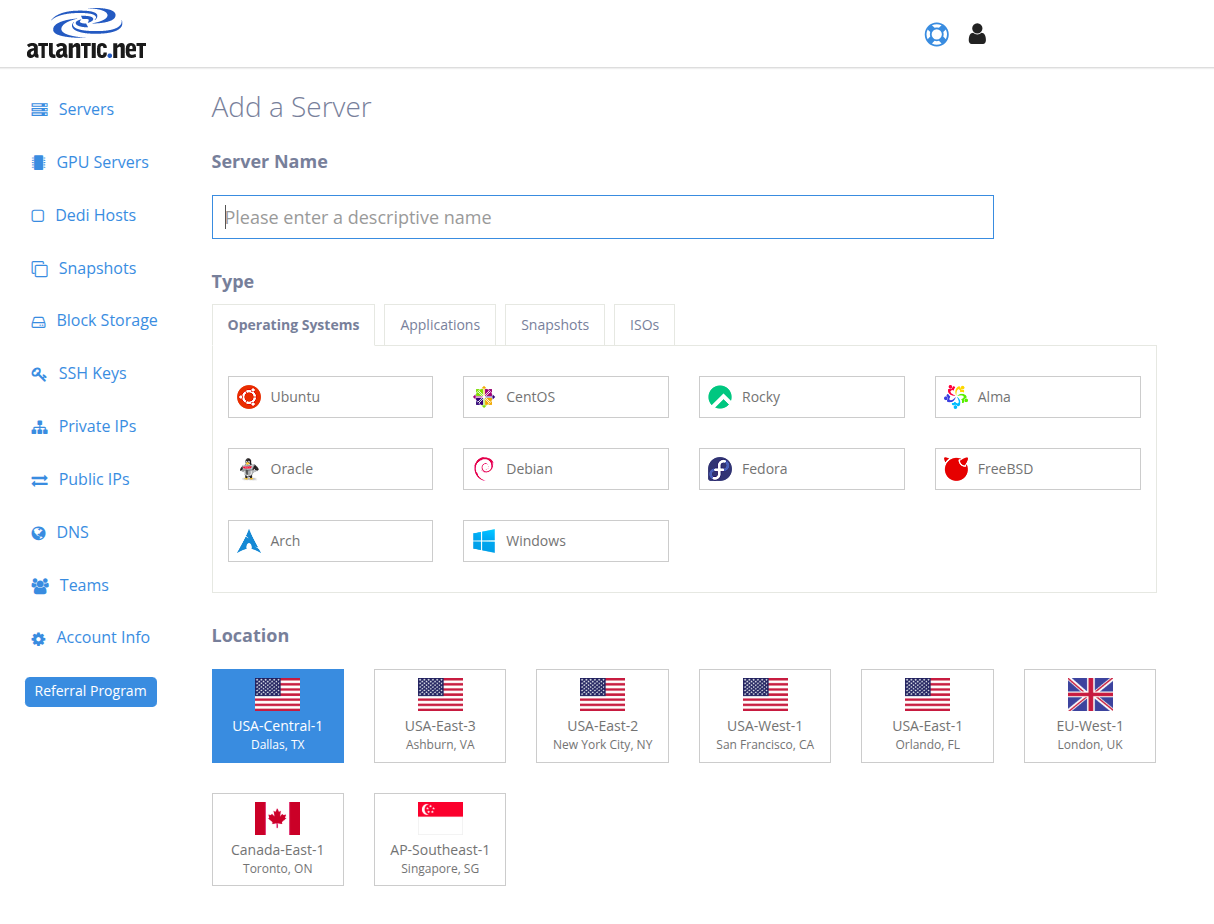
Image Source: Atlantic.Net
Advantages:
- Leading Hardware: Offers direct access to some of the most powerful and sought-after NVIDIA GPUs, such as the H100 NVL, right from the marketplace for top-tier performance on demanding AI training and inference tasks.
- Expert, Personalized Support: Offers a high-touch support model that gives teams access to skilled professionals for deployment and management, which is invaluable for complex deployments, performance optimization, and troubleshooting.
- Transparent and Competitive Pricing: Offers clear, straightforward pricing, often considerably more economical than larger hyperscale providers, making high-performance computing accessible without complex billing.
Suitable For:
- AI Startups and Research Teams: Organizations that need elite-level GPU power for research and development but prefer simple pricing to speed up projects.
- High-availability businesses that require powerful hardware with uptime guarantees for mission-critical AI applications.
- Large Language Model and Generative AI Development Teams: Teams developing and fine-tuning large language models or other generative AI systems to take advantage of the H100 and L40S GPUs’ high VRAM and Tensor Core count.
- Healthcare AI pilots and smaller inference deployments: Teams evaluating compact chatbot models or other inference applications that fit the A2’s memory and performance capabilities and need managed HIPAA hosting with a BAA.
#2: Amazon Web Services (AWS):

As the long-standing market leader, AWS offers a wide range of cloud services. EC2 offers GPU instance families such as the P4 series (NVIDIA A100), P5 series (NVIDIA H100), and G5 series (NVIDIA A10G), supporting diverse AI/ML training, inference, and graphics workloads. Still, its pricing models (On-Demand, Reserved Instances, Savings Plans, Spot Instances) can be complex to navigate and very expensive. In 2026, AWS offers a wide range of newer GPU instance types and optimized AI services.
The AWS EC2 dashboard lets you control instances, monitor status, and configure settings.
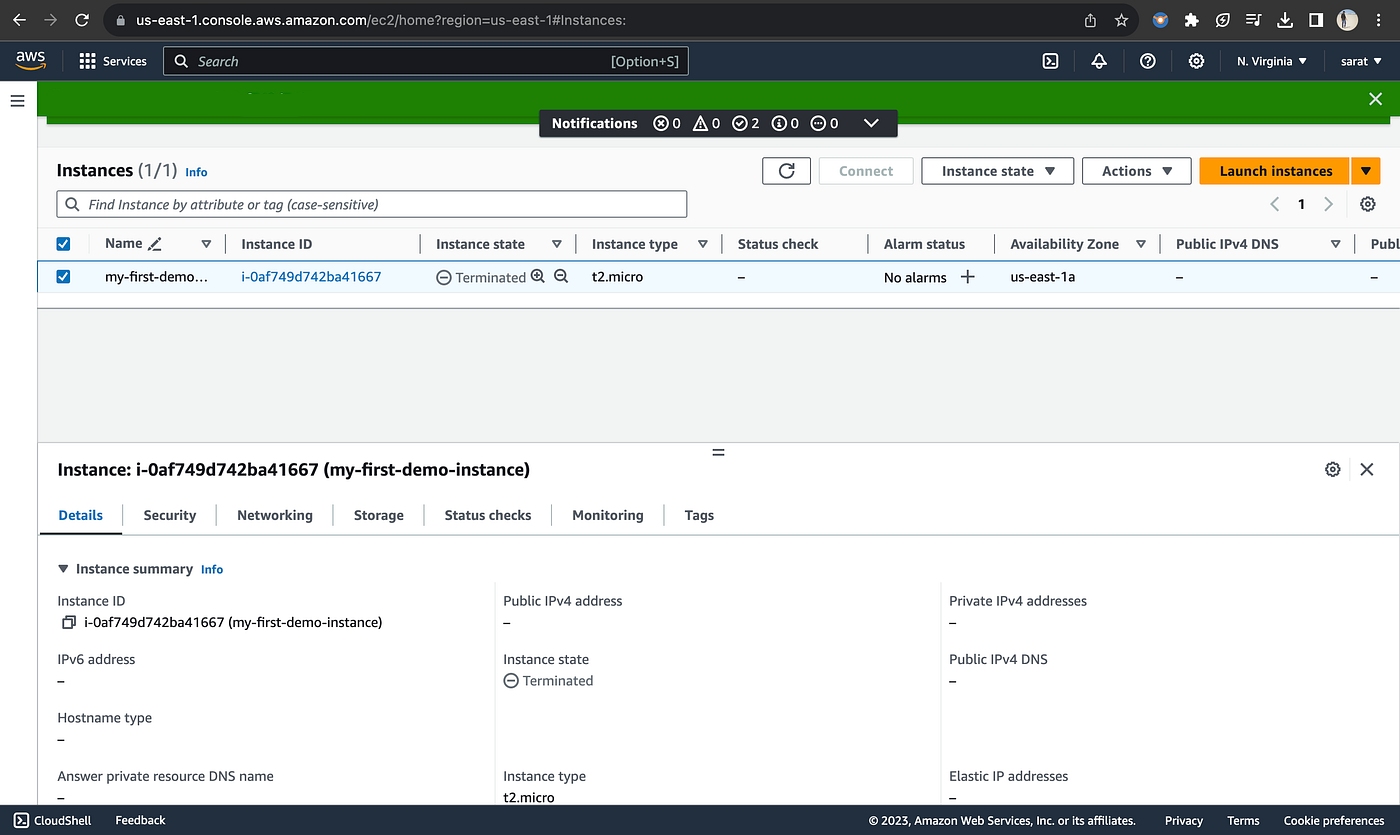
Image Source: AWS
Advantages
-
Extensive Cloud Services. AWS integrates a broad portfolio of cloud services, including S3 for storage, SageMaker for machine learning pipelines, and Redshift for data warehousing. These services can be combined to build an integrated, end-to-end platform.
-
Global Reach and Scalability. Users can deploy GPU instances across multiple geographic regions, helping reduce latency for global users. AWS also offers options to scale GPU resources to support large AI training clusters.
Ideal for:
- Large Enterprises: These have a considerable investment in the AWS ecosystem, who can deploy and manage AI workloads at scale by effectively levOffers fine-grained choice acrossangements, and, from projects requiring the latest H100S so that teams can match hardware tH100S- tonesse a wide array of other managed services for data processing, application hosting, and automation of DevOps.
- Diverse Teams: Teams that use a wide range of AI applications, from low-cost inference endpoints to massive, multi-node training jobs, and want the flexibility of a single provider.
#3: Microsoft Azure:

Azure is another major cloud platform with deep integration within the Microsoft products. Azure offers N-series virtual machines equipped with a range of NVIDIA GPUs (e.g., T4, V100, A100, H100). It’s a strong choice for businesses already invested in Microsoft platforms, and its Reserved GPU pricing is competitive. However, limited open-source support is a limitation and, typically, costs more than competitors. Azure’s AI ecosystem continues to grow in 2026 with tighter integration across enterprise tools and AI services.
Explore the Azure dashboard to organize resource groups, track usage, and manage cloud services from a centralized platform.
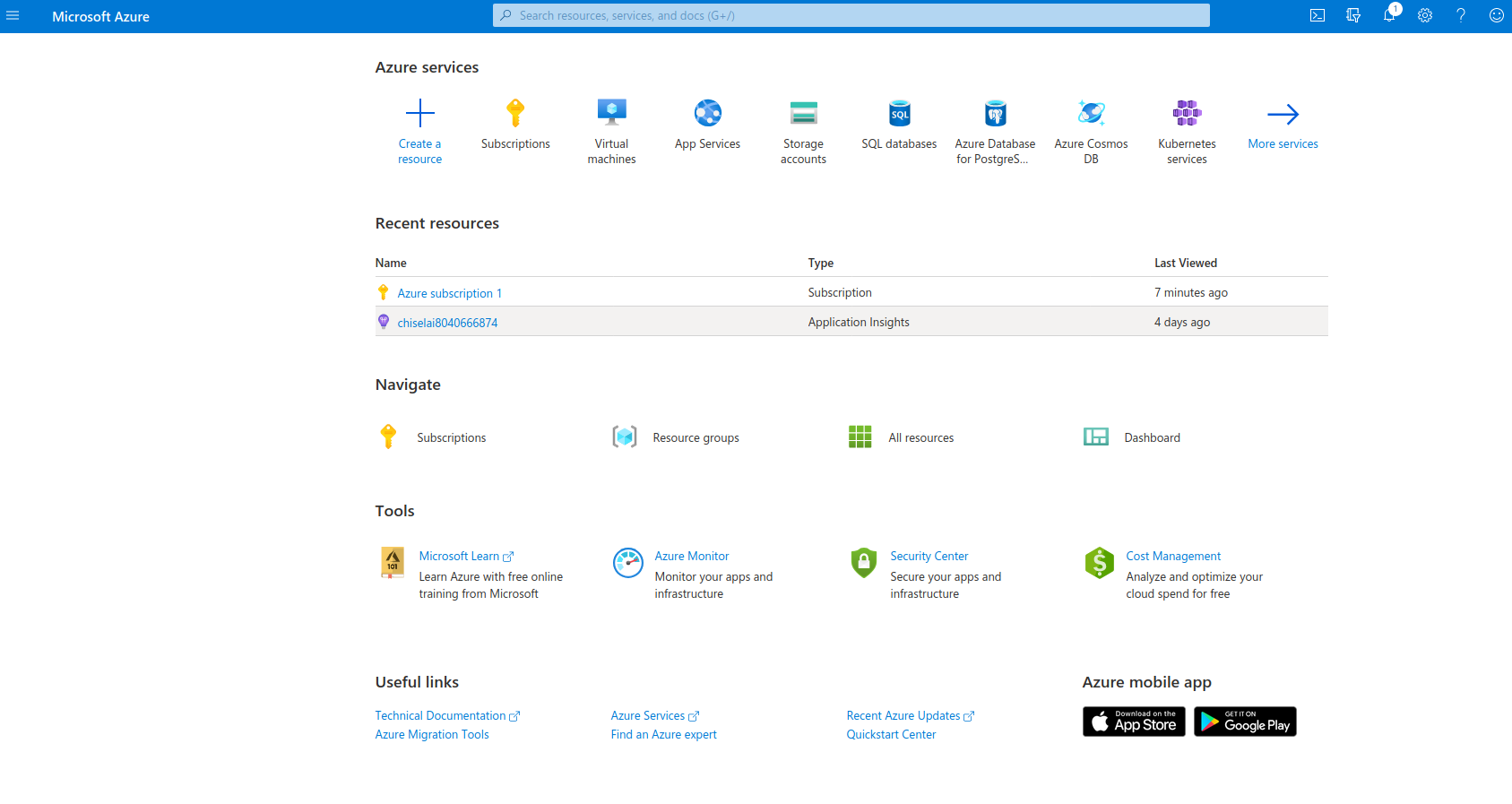
Image Source: Azure
Advantages:
- Deep Integration with Microsoft Products: Offers seamless integration with essential enterprise tools like Azure Active Directory, Office 365, and Microsoft’s data platforms for frictionless security, identity management, and data workflows.
- Strong Enterprise and Hybrid Cloud Focus: It offers robust solutions for hybrid cloud deployments, including Azure Arc, which lets each business manage on-premises and cloud resources through a single control plane.
- All-in-One AI Platform: Hosts the Azure Machine Learning platform for e model creation, publishing, and management; it will certainly fit into large enterprise desires seeking a fully managed AI lifecycle.
Ideal for:
- Enterprises deeply committed to the Microsoft stack, including Windows Server and SQL Server: They can quickly drive AI initiatives by leveraging existing licenses and expertise on a platform they know.
- Hybrid Cloud Environments: For organizations that need to keep a mix of on-premises infrastructure and cloud resources for regulatory, compliance, or data sovereignty reasons.
#4: Google Cloud Platform (GCP):

GCP excels at data analytics, AI/ML tools (e.g., Vertex AI), and high-performance networking. Compute Engine instances support NVIDIA GPUs (A100, T4, L4, H100) and also offer proprietary Tensor Processing Units (TPUs) optimized for ML frameworks like TensorFlow. GCP offers a strong global network and good availability; however, like all major cloud providers, it is expensive. In 2026, TPUs remain a strong alternative for specific ML workloads, particularly within Google’s ecosystem, supported by the Google Cloud dashboard, where you can create virtual machines, deploy applications, and use built-in tools.
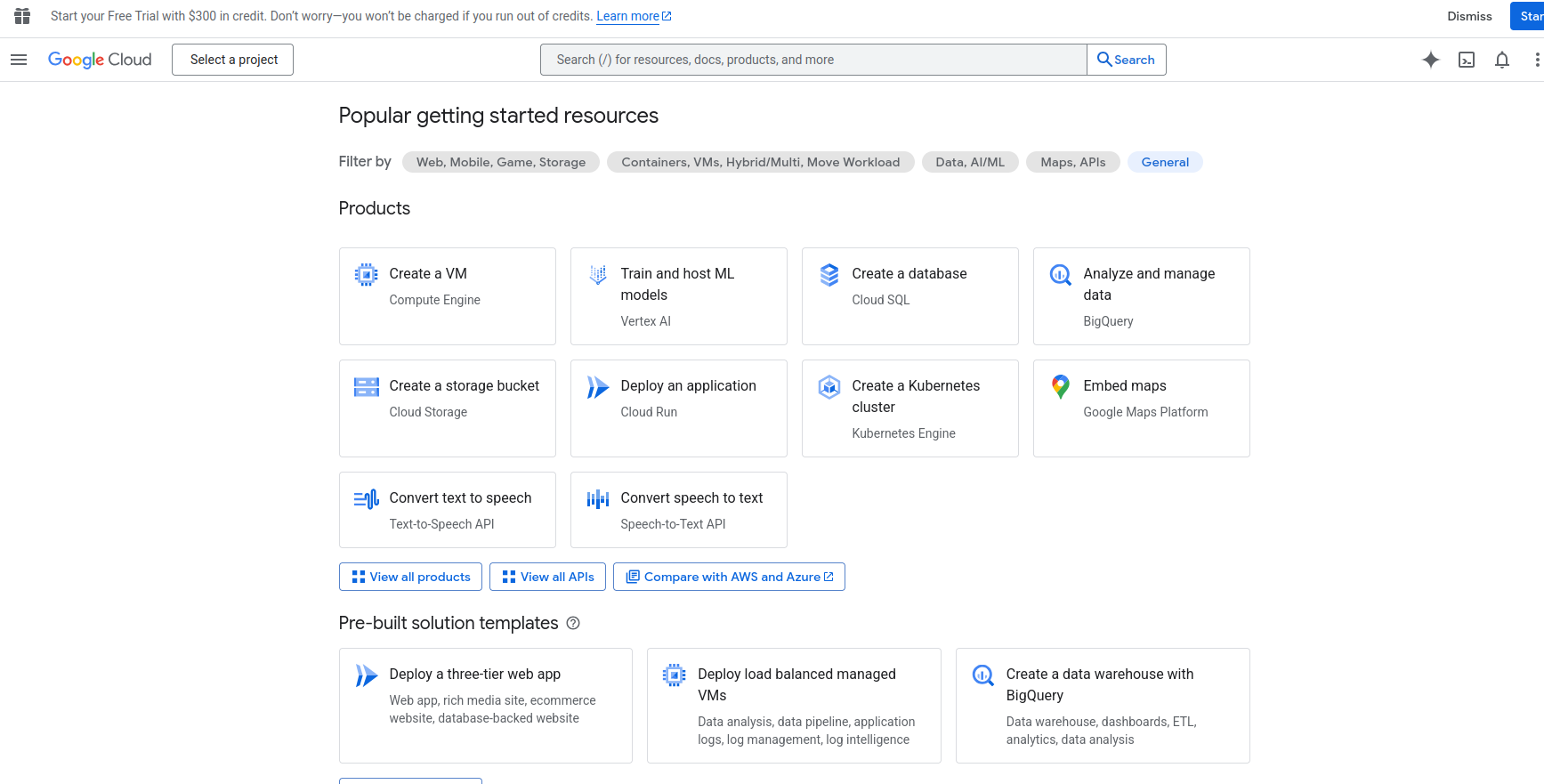
Image: Google Cloud
Advantages:
- AI and Data Tooling: Provides the Vertex AI platform, a unified and powerful environment for the entire ML lifecycle, along with data analytics services like BigQuery
- Access to Custom-Built TPUs: Offers Tensor Processing Units (TPUs) as an alternative to GPUs, which can deliver strong performance per dollar for training large models built with frameworks like TensorFlow and JAX.
- High-Performance Networking: Boasts a global fiber-optic network that provides low latency and high throughput, which benefits distributed training jobs spanning multiple GPU or TPU nodes.
Ideal For:
- Data-Centric Organizations: Companies whose AI strategies are deeply tied to strong performance per dollar and analytics, enabling integration between BigQuery and Vertex AI.
- TensorFlow and JAX Developers: Research and data teams that build models using Google’s native frameworks benefit from the performance advantages offered by TPUs.
- Large-Scale Distributed Training: Projects that require training massive models across hundreds or thousands of nodes benefit from GCP’s high-performance networking and TPU pods, which significantly reduce training time. Vultr has significantly expanded its NVIDIA GPU service (including A16, A40, A100, L40S, H100, GH200) and AMD Instinct accelerators (MI300X, MI325X). They offer both virtual machine and bare-metal options, appealing to users seeking cost-effectiveness. One downside is that there is often limited capacity in specific regions, so double-check that your chosen region is available. Vultr continues expanding its GPU catalog into 2026, including newer NVIDIA and AMD accelerators.
Here is the Vultr cloud hosting interface. Where you can deploy new instances, manage Kubernetes, bare-metal storage, and networking services.
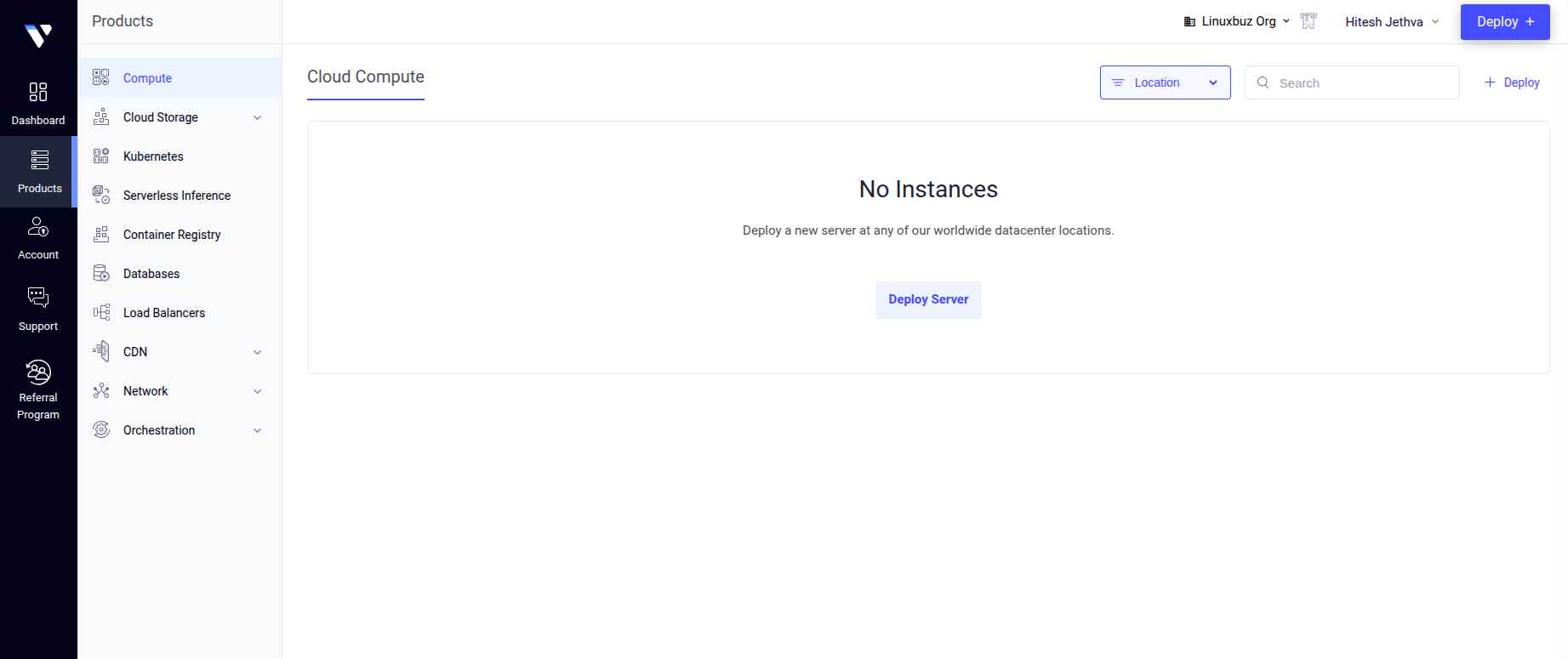
Image Source: Vultr
Advantages:
- Transparent Pricing: Its clear, predictable billing model makes it an attractive option for developers and startups that are highly cost-sensitive.
- Broad GPU Selection (NVIDIA & AMD): A diverse hardware selection, including the latest GPUs from NVIDIA and AMD, gives users more options to find the right price-to-performance ratio for their needs.
- Bare Metal Options: Provides dedicated bare metal, giving users direct access to the underlying hardware for maximum performance and control, ideal for specialized or performance-critical workloads.
Ideal For:
- Developers and Startups: Individuals and small teams looking for an easy-to-use platform with affordable, on-demand GPU resources without the complexity and overhead of the larger cloud providers.
- Cost-Conscious AI Inference: Applications that need to run inference at scale and can benefit from Vultr’s fractional GPU instances or lower-cost hardware options.
- Users Needing Hardware Flexibility: Teams that want to experiment with different GPU architectures, including AMD’s Instinct accelerators, need the raw performance and customization only available with bare metal servers.
#6: Lambda Labs:
A specialized cloud provider explicitly focused on serving researchers. Lambda offers on-demand and reserved access primarily to high-end NVIDIA GPUs (including H100, A100, GH200, and newer models like H200, B200). They offer pre-configured environments (Lambda Stack with popular ML frameworks), easy setup of multi-GPU clusters with high-speed interconnects (InfiniBand), and transparent hourly pricing, making them a popular choice for demanding training tasks. Lambda remains popular in 2026 for its simplified setup and early access to new GPU hardware.
Let’s look at the Lambda interface for analyzing and managing filesystems and monitoring spending across projects.
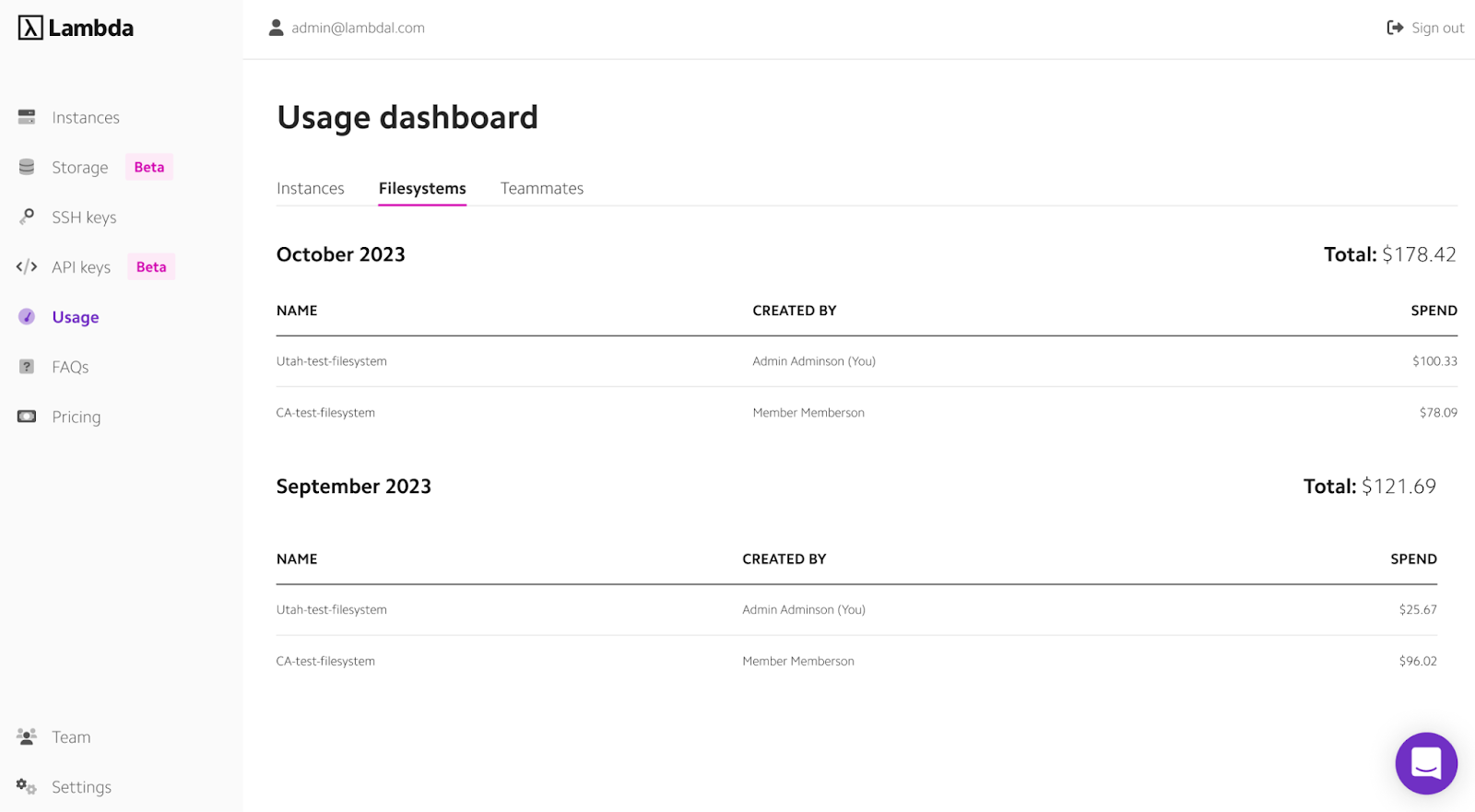
Image advantages:
- Pucluster setup tailored for AI/ML: The entire platform, from hardware selection to the software stack, is designed specifically for AI researchers and developers, eliminating the unnecessary complexity found in general-purpose clouds.
- Pre-configured Environments: The Lambda Stack comes pre-installed with drivers, CUDA, and major ML frameworks like PyTorch and TensorFlow, saving developers hours or even days of setup time and allowing them to start training immediately.
- Access to new GPUs: Often among the first to offer access to the latest, most powerful NVIDIA GPUs, making it a top choice for researchers who need state-of-the-art hardware for their experiments.
Ideal For:
- AI Researchers and Practitioners: Individuals and teams whose primary focus is building and training deep learning models and who value a streamlined, hassle-free environment that lets them focus on their work, not infrastructure management.
- Demg Mult, U Training: Projects that require training large models across multiple GPUs, as Lambda makes it simple to provision multi-node clusters with the high-speed interconnects necessary for efficient distributed training.
- Users Who Prioritize Simplicity and Speed: Developers who want to avoid the steep learning curve and operational overhead of AWS, Azure, or GCP and prefer a straightforward, “it just works” solution for high-performance GPU computing.
Key Advantages of Using GPU Instances for AI/ML
Although deploying GPU instances in the cloud involves costs, this expense is often much lower than anticipated and is accompanied by significant benefits:
- Speed and Performance:
Powerful GPUs dramatically improve the processing speed for AI workloads. Don’t just take our word for it; check out our AI Procedures to experience the performance improvements today.
- Scalability:
AI projects have fluctuating needs. Cloud GPU hosting offers strong scalability, letting users scale compute capacity on demand. Teams can start small and expand to multiple GPUs as models grow in complexity or datasets increase in scale.
- Cost-Effectiveness:
On-premise GPU clusters require significant upfront capital and ongoing costs. For example, an NVIDIA H100 GPU costs upwards of $25,000 at retail, and the NVIDIA L40S GPU costs about $10,000. Cloud GPU services use a pay-as-you-go model, making high-performance computing accessible and cost-effective without massive capital expenditure.
The Best GPUs for Your AI Applications
You have plenty of options when selecting the right GPU instances. In 2026, selection decisions are increasingly based on workload type, especially training vs .inference. Consider both performance and cost-efficiency. The ideal choice depends on the specific task: the AI workload type (e.g., training and inference, computer vision, natural language processing), complexity, and volume. Understanding different tiers is necessary. Top-tier performance: Consider training models on large datasets, while AI inference might suit more balanced or cost-effective GPUs.
Let’s take a closer look at the options.
Spotlight on NVIDIA GPUs: The Industry Standard
NVIDIA leads the AI and high-performance computing (HPC) GPU market, backed by powerful hardware and a reliable CUDA software ecosystem. CUDA lets developers unlock NVIDIA GPUs’ parallel processing power. Its dominance continues in 2026 due to both hardware performance and its CUDA ecosystem.
What to look for:
- CUDA Cores: Fundamental units for parallel execution; more cores mean higher computing power.
- Tensor Cores: Specialized cores that accelerate matrix operations foundational to deep learning, boosting performance.
- High Memory Bandwidth: Needed to move data quickly and keep cores fed, especially with large datasets.
High-end NVIDIA GPU models like the NVIDIA H100 NVL GPU represent the cutting edge for demanding AI workloads, including large language models (LLMs). Newer GPU generations are also emerging to address growing demand for AI compute.
Other models, like the NVIDIA L40S GPU, support graphics rendering and simulation, as well as AI development.
Understanding GPU Specifications
When evaluating GPU options, several technical specifications are important:
- VRAM (Video RAM): Dedicated GPU memory. Training large deep learning models or processing high-resolution data demands substantial VRAM.
- Memory Bandwidth: The speed of data transfer between VRAM and cores. High memory bandwidth helps prevent bottlenecks, especially with large datasets.
- FLOPS (Floating-Point Operations Per Second): Quantifies raw computational throughput.
Take time to analyze these specs when selecting your next GPU instance.
Core Applications Accelerated by GPU Hosting
Cloud GPUs provide the necessary power for a wide range of computationally intensive tasks.
Here are some key areas where GPU acceleration makes a significant difference:
- Deep Learning Model Training: This is often the most demanding AI workload. Training deep learning models, especially large language models (LLMs), requires immense computing power (CUDA Cores, Tensor Cores), substantial VRAM to hold models and large datasets, and high memory bandwidth. High-performance GPUs, such as the NVIDIA H100 NVL GPU, are favored, and using multiple GPUs is common to reduce training time.
- AI Inference: Once a model is trained, AI inference involves using it to make predictions on new data. While complex models or real-time processing still require significant compute, priorities often shift to low latency (fast responses) and high throughput (predictions per second), potentially using different classes of GPU instances optimized for efficiency.
- Machine Learning: Beyond deep learning, many advanced machine learning models on large datasets benefit from GPU acceleration over CPU-only approaches.
- Com still requires significant compute. Vision: Analyzing images and video requires processing large amounts of data. GPUs excel here because parallel processing and high memory bandwidth enable tasks like object detection and real-time processing of visual streams. Ample VRAM is also often necessary.
- Natural Language Processing (NLP): Like general deep learning, training large NLP models demands significant GPU resources. Inference for applications like translation or chatbots benefits from GPU speed, often prioritizing responsiveness.
- Scientific Simulations & High-Performance Computing (HPC): GPUs are essential tools in high-performance computing tasks, driving complex scientific simulations in physics, chemistry, climate modeling, and more. These applications often need the maximum available computing power and benefit from the GPU’s ability to handle large-scale parallel processing.
- Graphics Rendering & Simulation: For tasks like high-fidelity 3D rendering, animation, or complex engineering simulations, GPUs with strong graphics capabilities, like the NVIDIA L40S, provide the necessary performance.
Setting Up and Securing Your Cloud GPU Environment
Transitioning to cloud GPU hosting involves careful planning for both setup and ongoing security.
Environment Setup:
Select a cloud provider based on GPU instance availability, pricing, location, reliability, and support. Then, configure your instance by choosing an OS, installing drivers (NVIDIA driver, CUDA Toolkit), and setting up AI/ML libraries/ML frameworks (TensorFlow, PyTorch).
Many providers offer pre-built images or templates with the required software stack to speed deployment.
Ensuring Data Security in AI Models:
It’s critical to secure your configured environment, especially when handling sensitive data or when adhering to regulations (GDPR, HIPAA, CCPA) or meeting compliaAI/MLequirements.
Implement these key data security best practices for added protection:
- Encryption: Use strong encryption for data at rest and in transit. Apply least privilege principles with strong authentication and role-based access controls for GPU instances, storage, and data.
- Network Security: Use VPCs, strict firewall rules, and private endpoints to isolate GPU resources.
- Monitoring, Logging, and Auditing: Log activities, monitor for anomalies, and conduct regular audits to meet compliance requirements.
- Secure Artifact Management: Store trained AI models and scripts in secure repositories.
In 2026, AI governance and model monitoring are becoming standard security practices.
Conclusion
GPU hosting is foundational for advancing artificial intelligence. Cloud access to vast parallel processing power and specialized compute lets organizations tackle complex problems faster.
Cloud GPUs provide the necessary infrastructure, scalability, speed, and performance for everything from deep learning research to real-time processing in AI applications. As AI systems move from experimentation to production in 2026, reliable GPU infrastructure and access to iCloud become requirements for success.
As AI and GPU capabilities co-evolve, they deepen, unlocking new possibilities.
Want to learn more about Atlantic.Net GPU Hosting? Contact our team today to learn more about our newest service.

Written by
Richard Bailey brings over two decades of IT expertise, from traditional data centers to cutting-edge cloud solutions. As the founder of turbogeek.co.uk and a seasoned writer, he focuses on delivering authoritative content on our hosting services, HIPAA compliance, and related topics.